Design to Be Built (formerly: CI)
Chapter Info
Calculating... Writing Progress: 50%
Every code change must eventually answer the same question: can this version be trusted enough to move forward? A good build system turns that question into a repeatable process. It takes a specific change, validates it, builds the software, runs the necessary checks, packages the result, and produces an artifact that can be traced and promoted with confidence.
Build Fundamentals [Fundamentals]
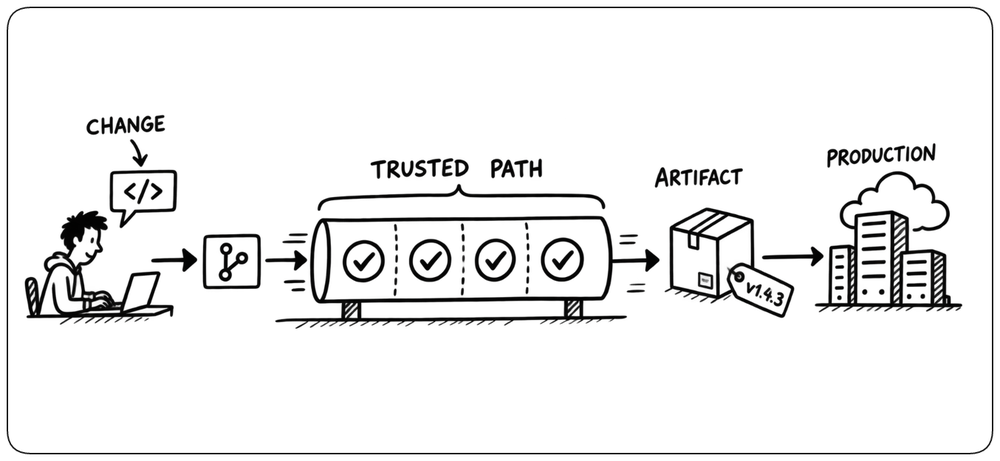
A reliable build moves every change along a trusted path to production: integrate frequently, validate automatically, produce reproducible results, and return feedback quickly. The following principles establish those foundations.
The Path to Production [Path to Production]
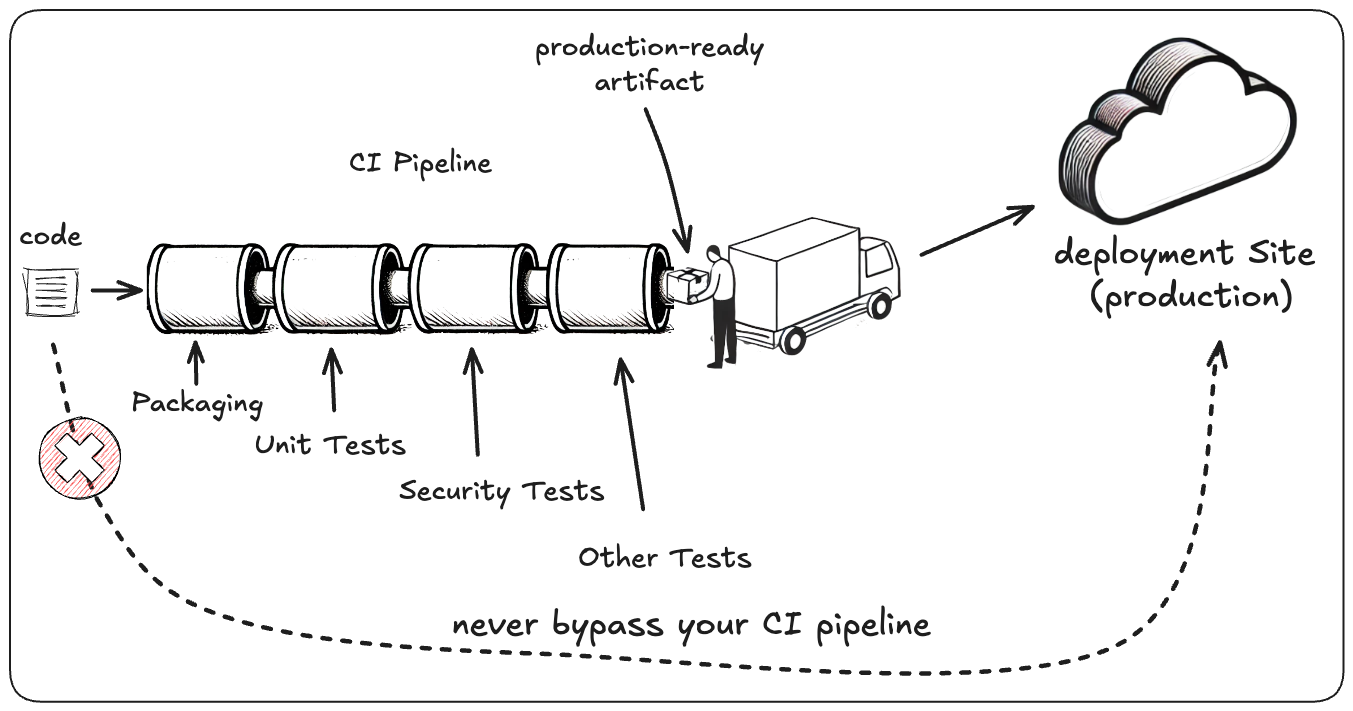
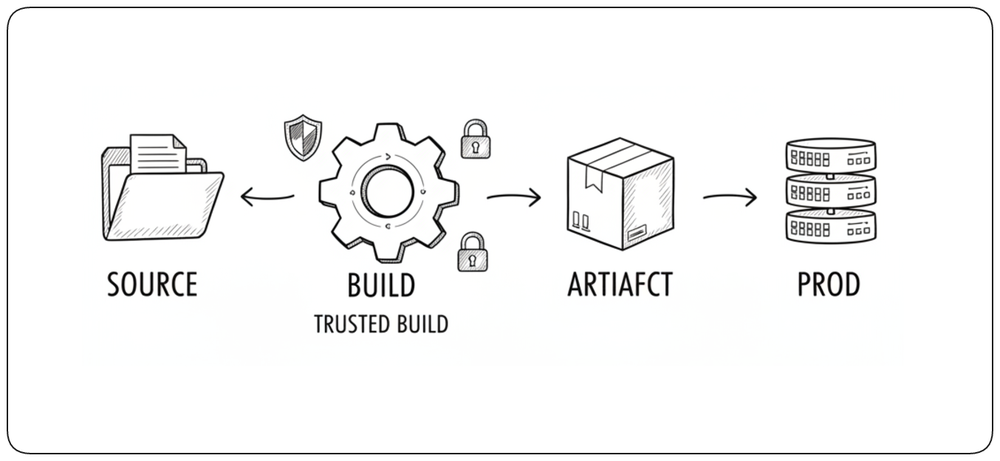
The path to production is the controlled route that takes a code change from source to a deployable artifact and eventually to production. Every production-bound change should follow the same trusted path, with each step adding evidence that the change is safe to progress.
Integrate Continuously [Integrate]
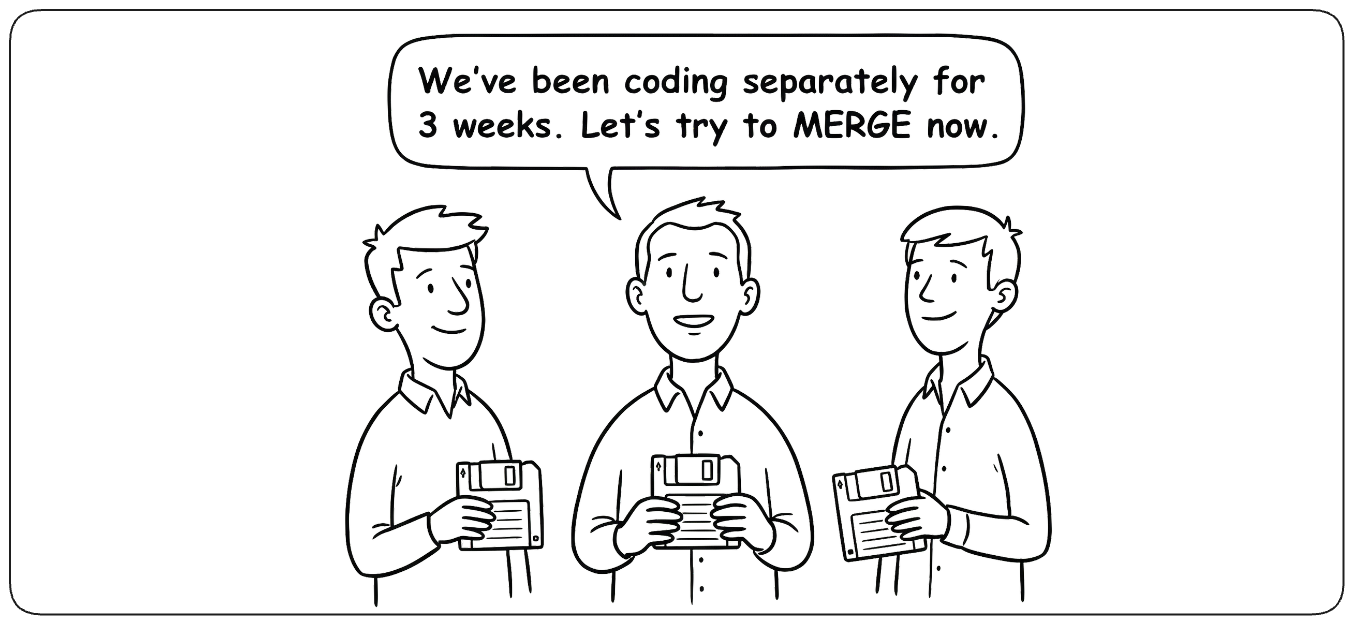
Continuous Integration originally meant exactly what its name says: integrating changes continuously. Developers merge small changes into shared code frequently instead of allowing branches to diverge for long periods. Frequent integration exposes conflicts and incompatibilities while changes are still small and easy to understand. For historical reasons, the term Continuous Integration is now commonly used more broadly to include the automated build, testing, and validation that accompany each change.
Automate Every Change [Automation]
Every change should enter validation automatically. This keeps feedback close to the change that caused it, so failures are detected while the scope is still small and the likely cause is easier to identify. Developers should not have to remember when or how to start validation; the path to production should react consistently as changes happen.
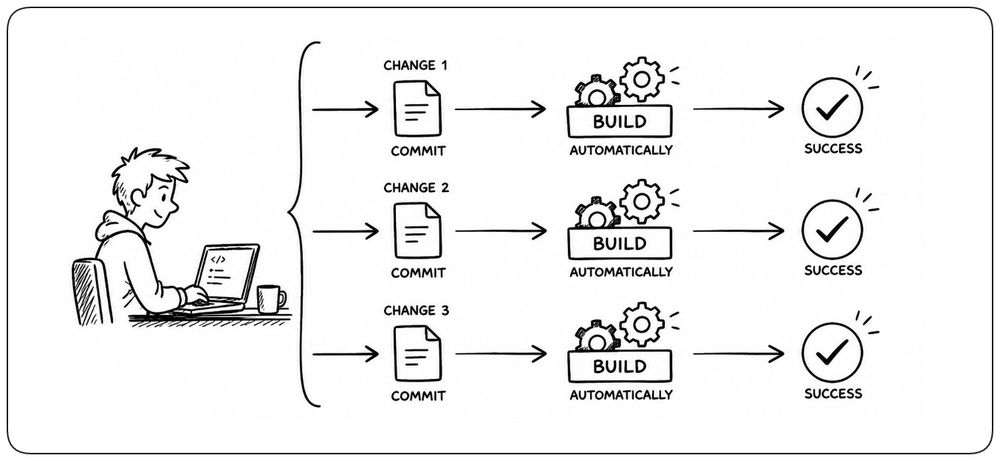
Automate Routine Decisions [Routine Decisions]
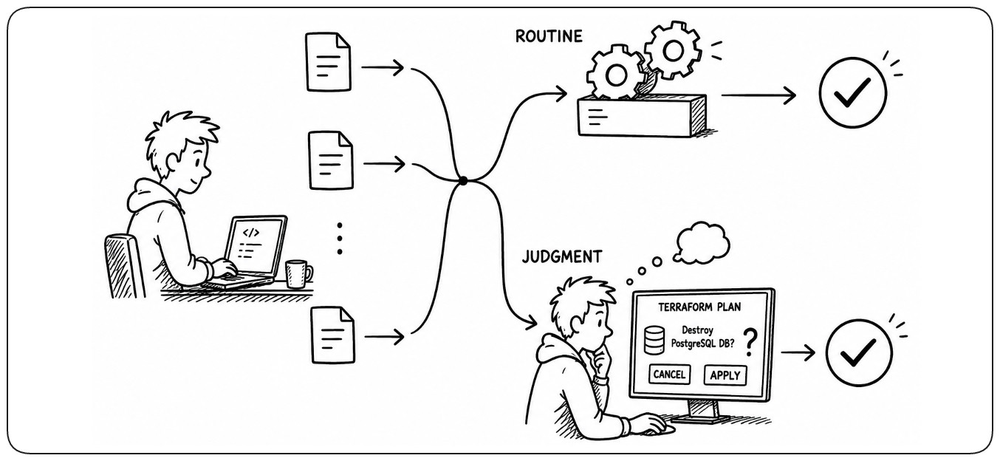
Routine build decisions should be made automatically whenever the required rules can be expressed clearly. Human approval should be reserved for decisions that genuinely require judgment, not inserted into every integration as a default checkpoint. Automation keeps the feedback loop moving while leaving people responsible for the decisions machines cannot make.
Build Reproducibly [Reproducibility]
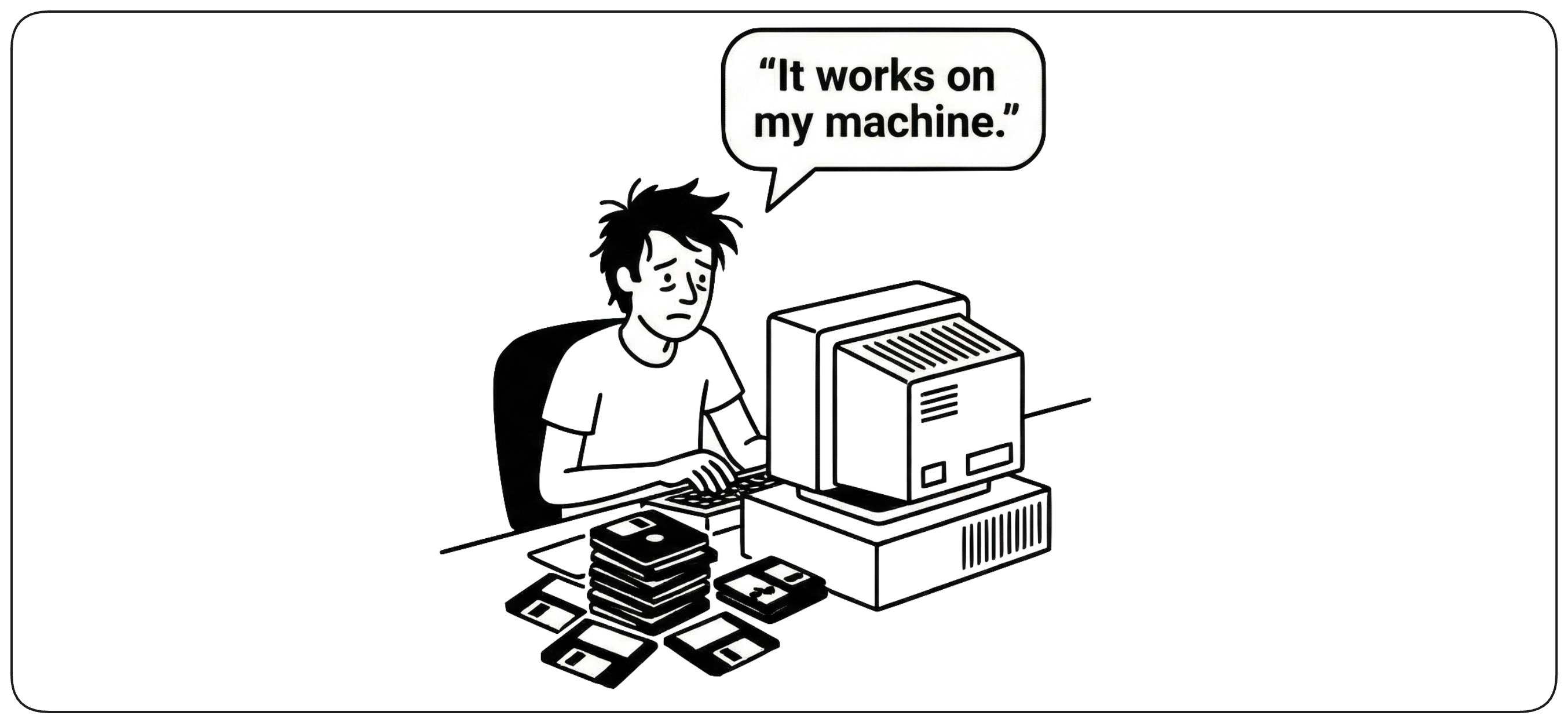
A build should be reproducible: the same declared inputs should produce the same result every time, regardless of where the build runs. Reproducibility makes artifacts trustworthy, failures easier to diagnose, and a known version possible to rebuild with confidence. Hidden or uncontrolled inputs undermine that confidence.
Build Once, Deploy Anywhere [Build Once]
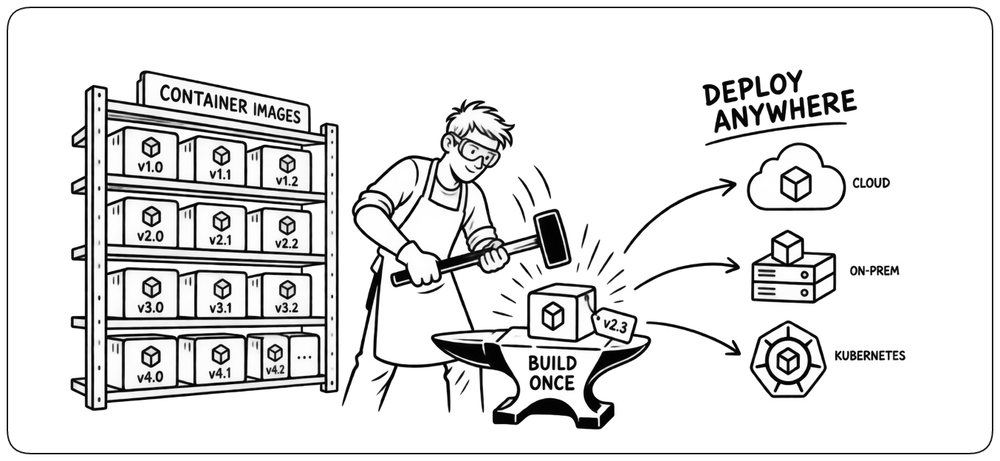
Build an artifact once, then promote that exact artifact through testing, staging, and production. Rebuilding for each environment introduces differences between what was tested and what is eventually deployed. Environment-specific configuration should be supplied at deployment time, not baked into separate builds. Containers, popularized by Docker, made this model practical by packaging the application with its runtime and dependencies into a portable artifact that can move consistently across environments.
Preserve the Link from Source to Artifact [Source to Artifact]
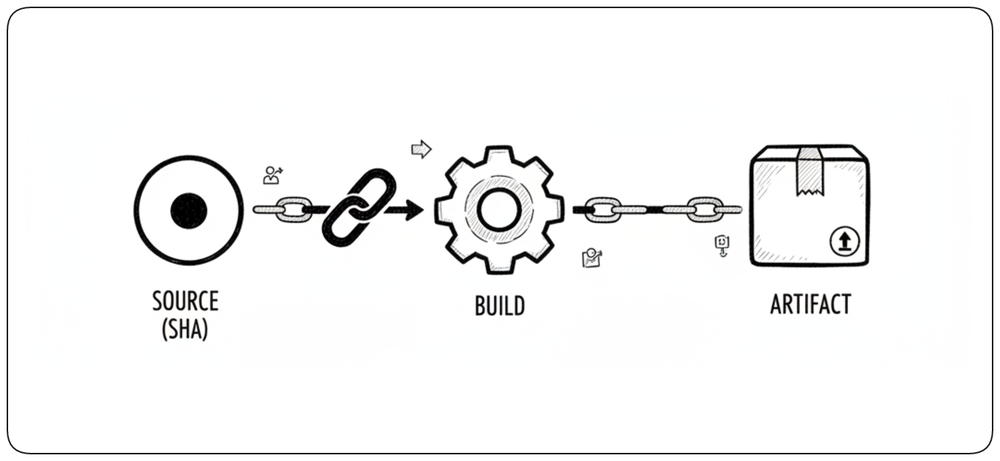
Every artifact should retain an unbroken link to the exact source revision and build that produced it. The source commit SHA, build record, and artifact identity form a chain that makes it possible to understand exactly what is running, reproduce a version, investigate failures, and roll back with confidence.
Validate Every Change [Automated Validation]
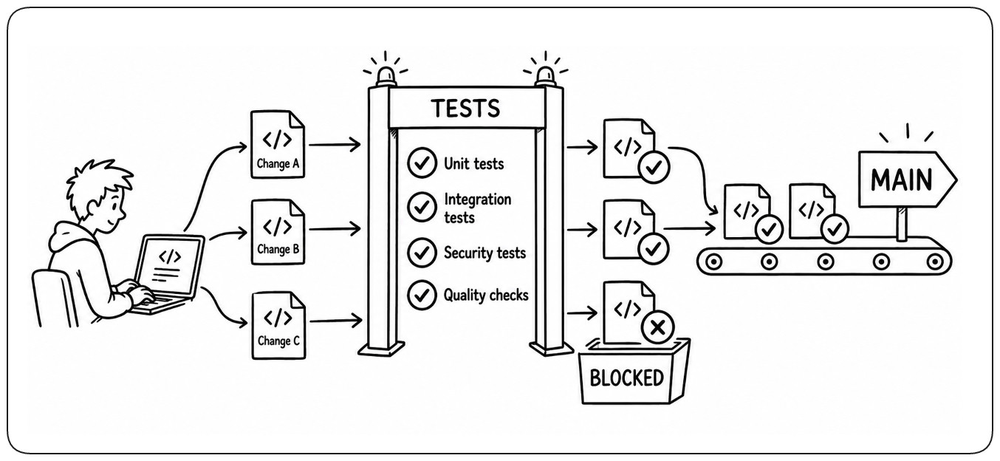
Compilation only proves that code can be built. Every change should automatically collect enough evidence to show that it is safe to integrate. Tests, static analysis, security checks, and other validations answer different questions about the change and should run before it progresses.
Detect Early, Fail Fast [Fail Fast]
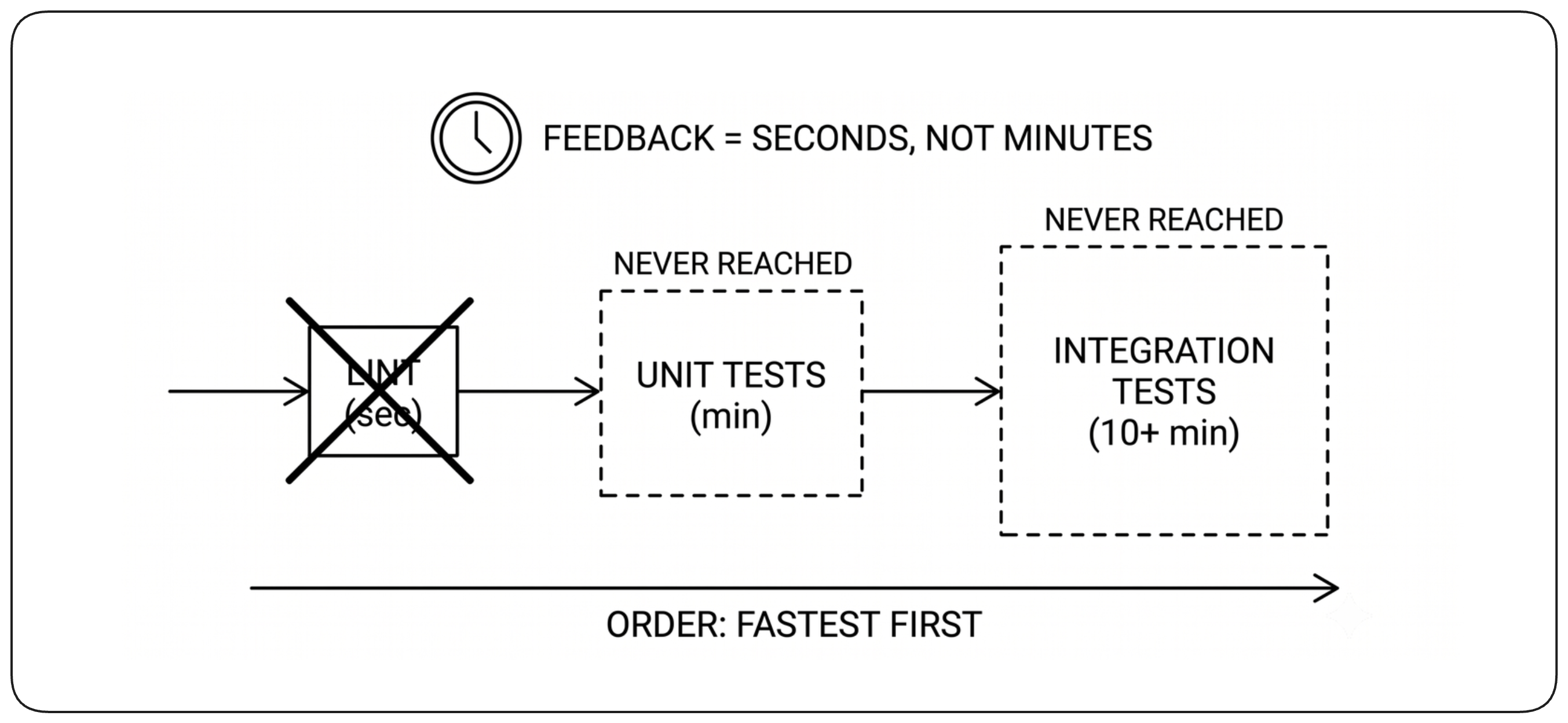
Design the build to detect failures as early as possible. Order checks so that fast, high-signal validations run first and problems are discovered before expensive work begins. Once a blocking failure is known, stop immediately: continuing cannot change the outcome and only wastes time and compute. Early detection also gives developers feedback while the context of their change is still fresh.
Keep Feedback Fast [Fast Feedback]
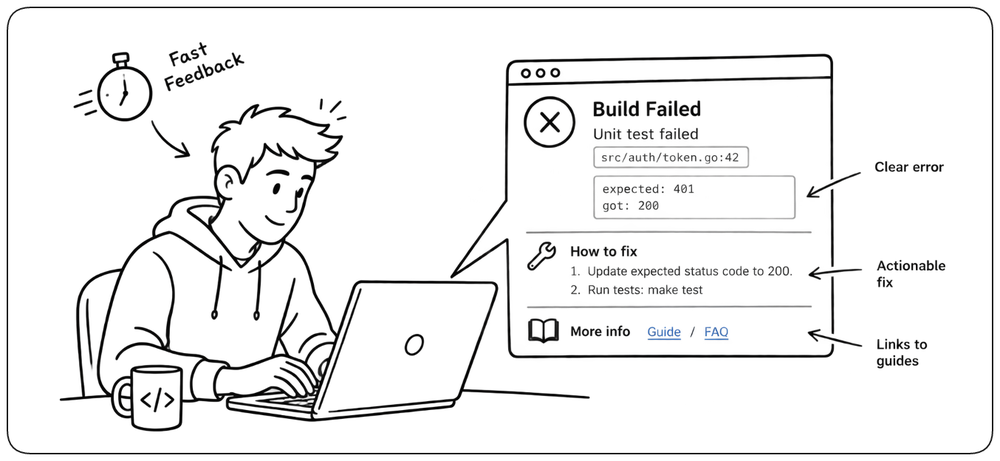
The build must return useful results quickly enough for developers to remain in the context of their change. Feedback should be clear and specific, showing what failed and why so the problem can be fixed quickly. Fast, actionable feedback encourages small integrations and rapid correction; slow, vague, or unreliable feedback encourages batching and workarounds.
Never Bypass the Path to Production [Never Bypass]
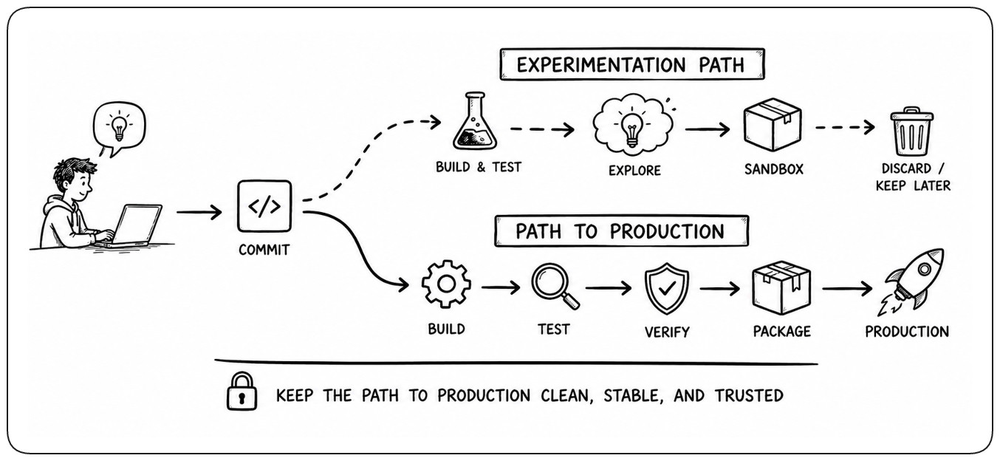
Every production change should travel through the same trusted path to production. That path creates the evidence that makes an artifact trustworthy: builds, tests, security checks, and other required validations. Manual builds or alternative routes bypass those guarantees. Experimentation can use lighter workflows, but anything intended for production must eventually return to the trusted path.
Keep the Path to Production Green [Mainline Green]
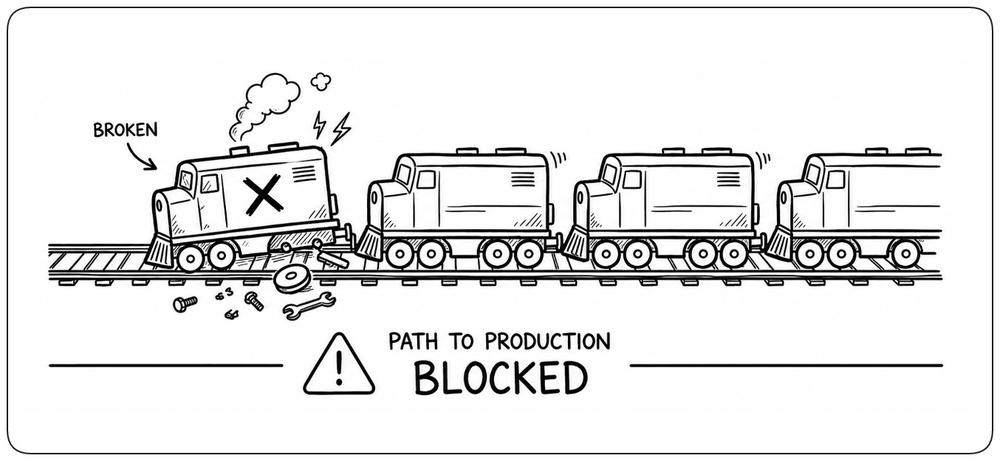
The path to production must remain healthy and trustworthy so changes can continue moving forward. A failure anywhere on that path can block builds, integrations, and delivery for the entire team. It also makes every result less trustworthy: developers can no longer know whether a failure comes from their own change or from an already broken system. When the path breaks, restoring it becomes the priority: fix the problem quickly or revert the offending change before normal work continues.
Make Health Visible [Build Health]
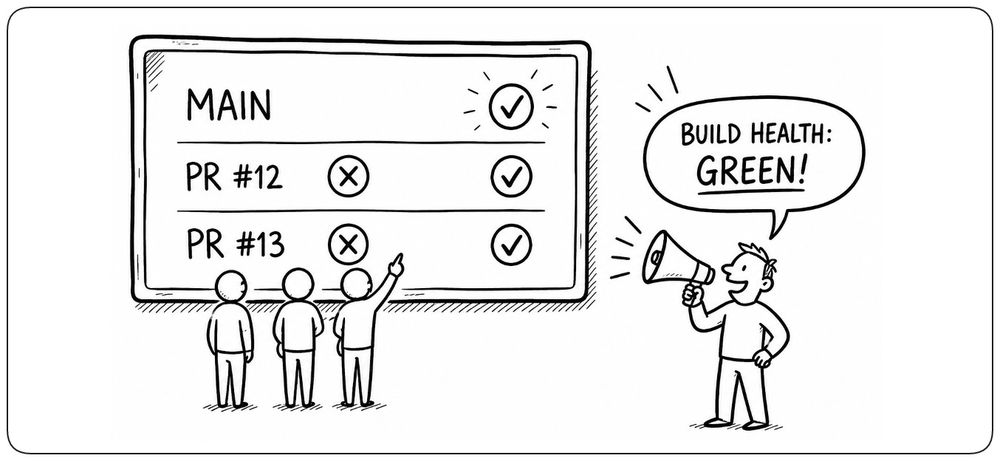
The health of master and proposed changes should be immediately visible to everyone. Build failures, blocked validations, and other signals that make a revision unsafe should be difficult to miss. Visibility turns build health into a shared responsibility and prevents failure from becoming accepted background noise.
The Build Process [Build Process]
A build turns a specific source revision into a validated artifact. It starts from an exact change, runs it in a controlled environment, progressively validates and transforms it, and ends by publishing an identifiable artifact ready for deployment. This section follows that process step by step. With these foundations in place, we can now follow what actually happens to a change as it moves through the build.
Build Triggers [Trigger]
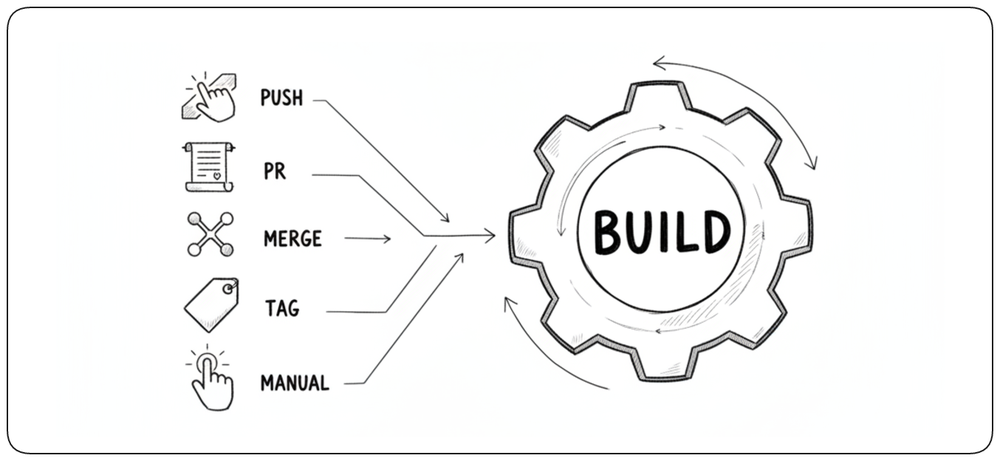
A build trigger is the event that starts a build execution. A push, pull request, merge, or tag can start the build and move a change into the path to production. Triggers connect a concrete development event to a specific build execution, making it clear why the build ran and which change it is validating.
Start from a Clean, Exact State [Clean, Exact State]
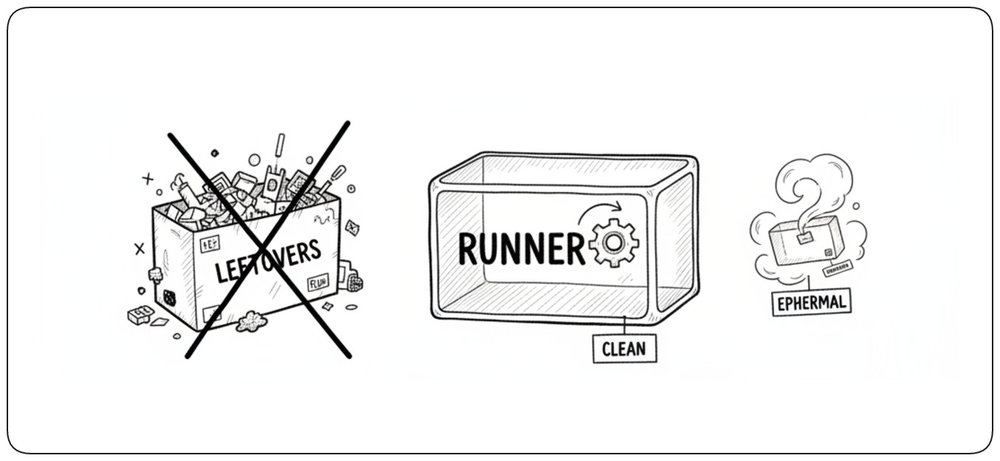
Each build should start from a clean, predictable environment and the exact source revision it is expected to validate. A clean environment does not mean avoiding caches: dependencies, build outputs, or other reusable data can be cached to improve performance, as long as the cache is explicitly managed and does not become hidden build state. Ephemeral runners or containers prevent uncontrolled state from previous builds from affecting the result, while checking out a specific commit SHA ensures that the source itself is known and traceable.
Run Cheap Checks First [Validate Early]
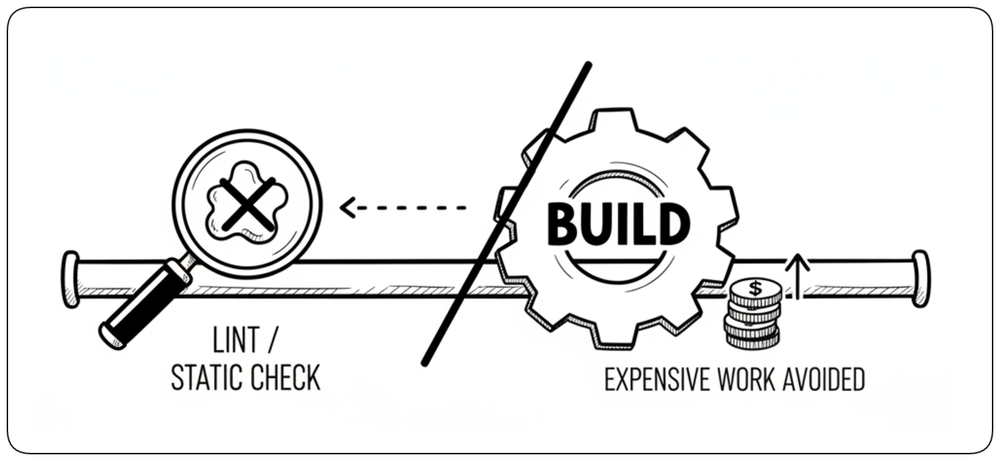
Order build checks so that inexpensive, high-signal validation runs before costly work. Linters, configuration validation, and static analysis can reject many problems before compilation, packaging, or integration testing begins. This reduces both feedback time and wasted compute.
Build the Software [Build Software]
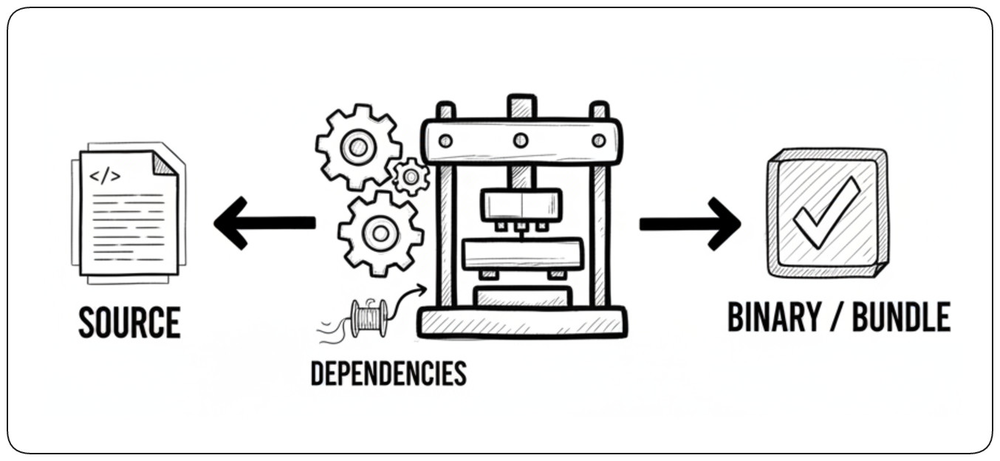
The build transforms source code into usable software. Depending on the technology, this may mean compiling source code into a binary, transpiling code, or generating executable code. This step verifies that the source and its declared dependencies can be successfully built.
Run Fast Tests [Fast Tests]
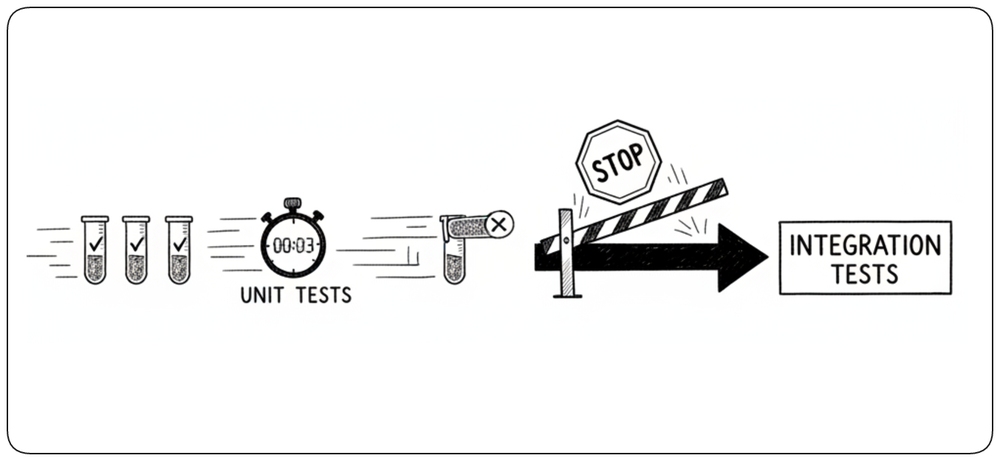
Fast automated tests verify behavior before an artifact progresses further through the build. Unit tests usually form the first testing layer because they are quick, isolated, and provide precise feedback when a change breaks existing behavior. A blocking failure should stop later stages immediately.
Package the Artifact [Package Artifact]
Once the software has been built and its fast checks have passed, package it into an immutable artifact that can move through the path to production. This may mean creating a container image, archive, Helm chart, or other deployable package. From this point on, later tests, staging, and deployment should use this exact artifact rather than rebuilding it.
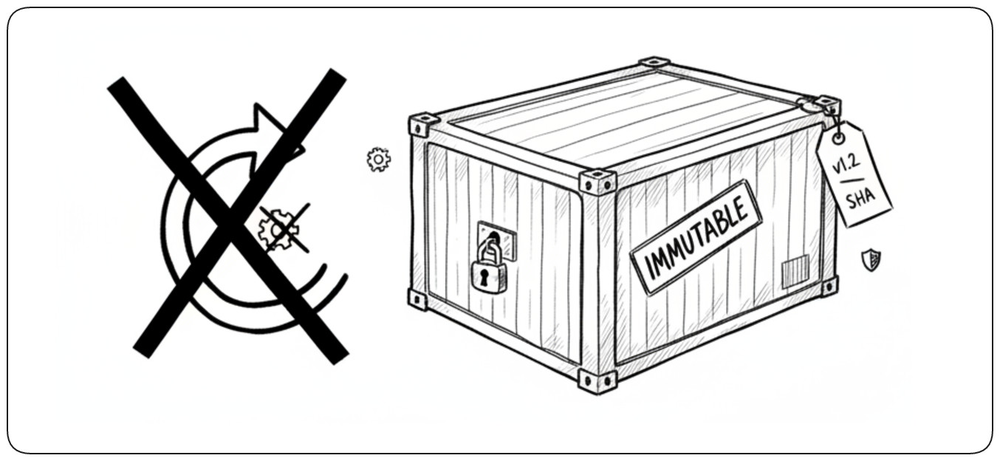
Run Integration Tests [Artifact Tests]
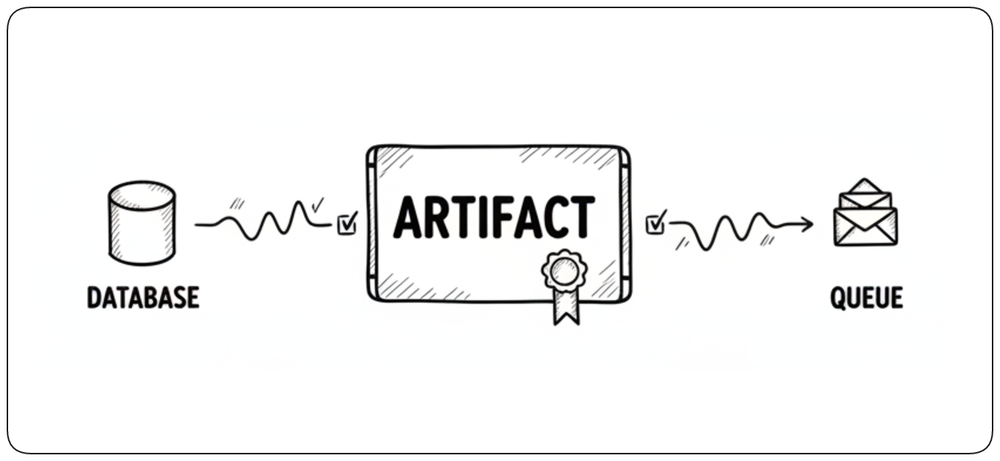
Some problems appear only when the packaged application interacts with real dependencies. Integration tests can start the artifact alongside databases, queues, or other services and verify that those interactions work correctly. Testing the packaged artifact increases confidence that the same unit can later be deployed.
Publish the Validated Artifact [Publish Artifact]
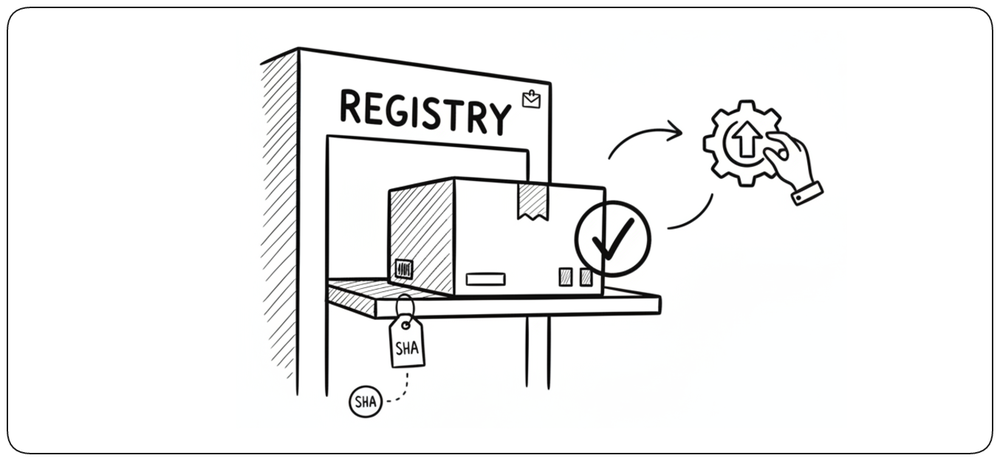
Once the required checks have passed, the artifact is published to a repository or registry where deployment systems can retrieve it. Publishing should preserve its immutable identity and its link to the source commit and validation results. The build is now complete: source code has become a traceable, validated artifact ready for deployment.
How AI Changes the Build Process [AI Build Process]
AI does not replace the build process. It changes the speed and scale at which work enters it. Code, tests, configuration, and infrastructure changes can now be generated in seconds, but every change must still earn trust through the same path from source to validated artifact. Once this process is understood, the next question is what happens when AI dramatically increases the rate at which changes enter it.
AI Increases the Flow of Changes [AI Change Rate]
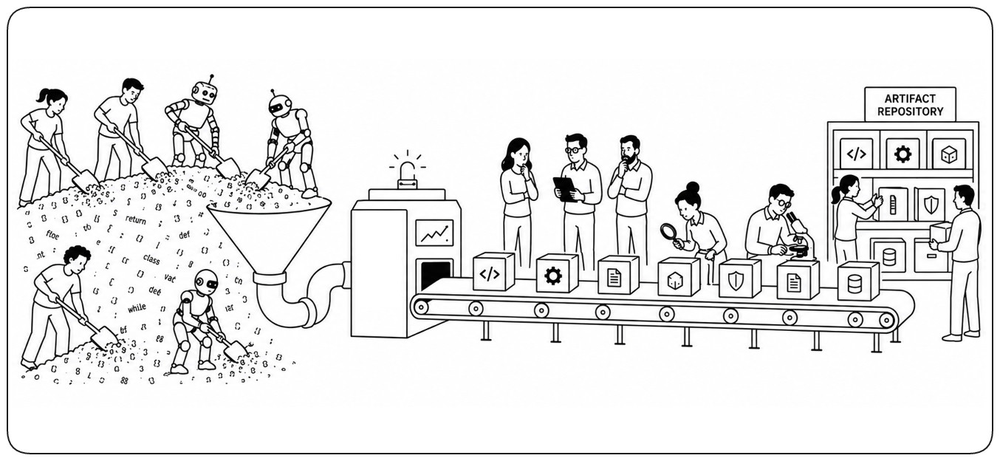
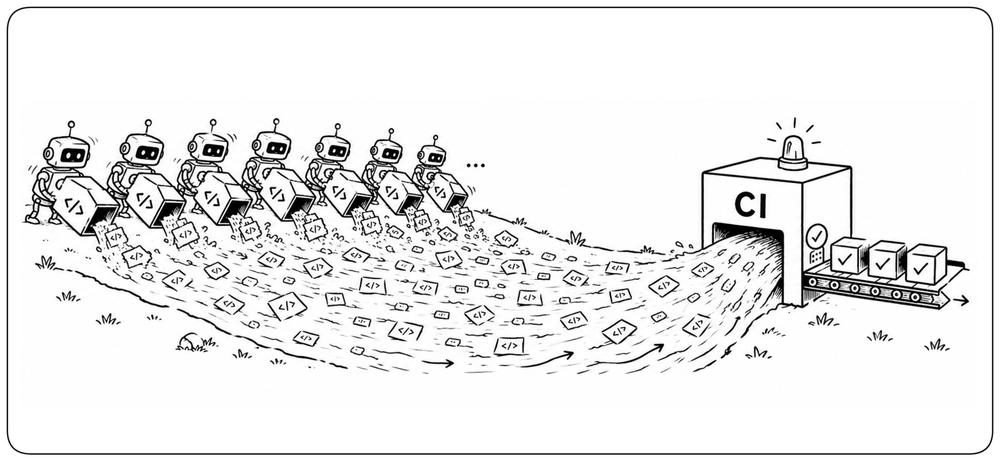
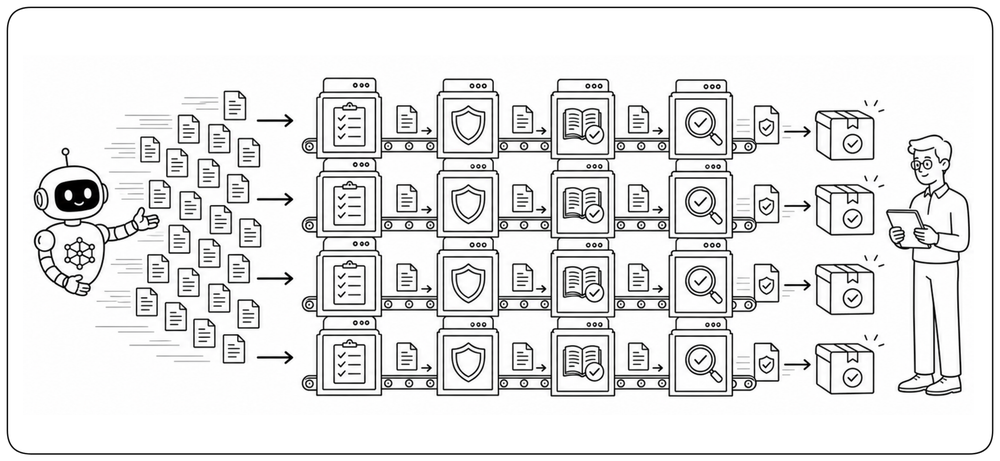
AI agents can generate code, tests, configuration, and infrastructure changes far faster than developers could produce them manually. The build therefore receives a much larger and more continuous stream of proposed changes. CI can no longer be designed around human coding speed; it must be able to absorb, filter, and validate changes at machine-generated volume.
Add Early Agent Review [Agent Validation]
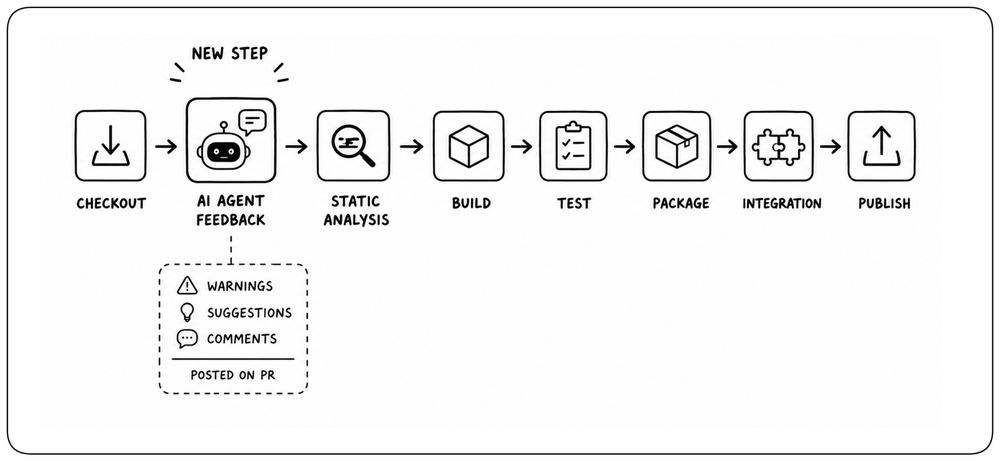
Add agent review early in the shared build process so potential problems can be identified while the rest of the pipeline continues. Agents can inspect the change for defects, inconsistencies, missing work, or questionable design decisions and publish their findings as comments on the pull request. These findings are advisory rather than blocking: developers can act on them or decide to proceed. This adds another early feedback signal without increasing the critical path of the build.
Turn Review into a Multi-Agent System [Multi-Agent Validation]
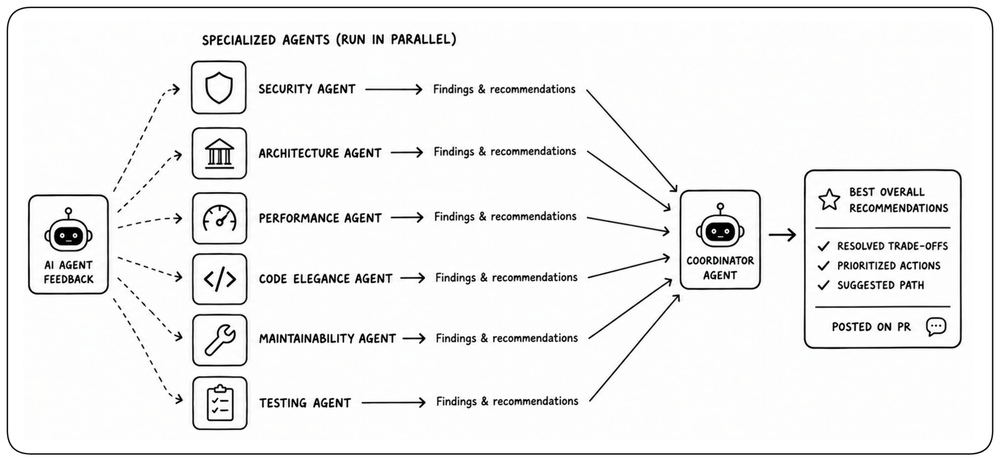
To get the most value from AI in code review, avoid relying on one general-purpose agent for everything. Give agents clear, specialized roles within the system: one can focus on security, another on architecture, performance, testing, code quality, or maintainability. Specialization lets each agent apply deeper reasoning to a narrower concern, while the overall review system combines those perspectives into a more complete assessment of the change.
AI Requires a Scalable Validation Platform [AI Build Throughput]
When AI can generate and review changes at machine speed, authorship and human review alone can no longer provide enough confidence that every change is safe. Trust must come from independent, deterministic evidence produced by the build: reproducibility, tests, security checks, policies, contract validation, and traceable artifacts. As the volume of AI-generated changes grows, the platform producing this evidence must scale with it, keeping validation fast, reliable, and highly automated without becoming the next bottleneck. Whether a change was written by a person or an agent, it must earn trust through the same path.
Human Review Moves Up a Level [AI Review]
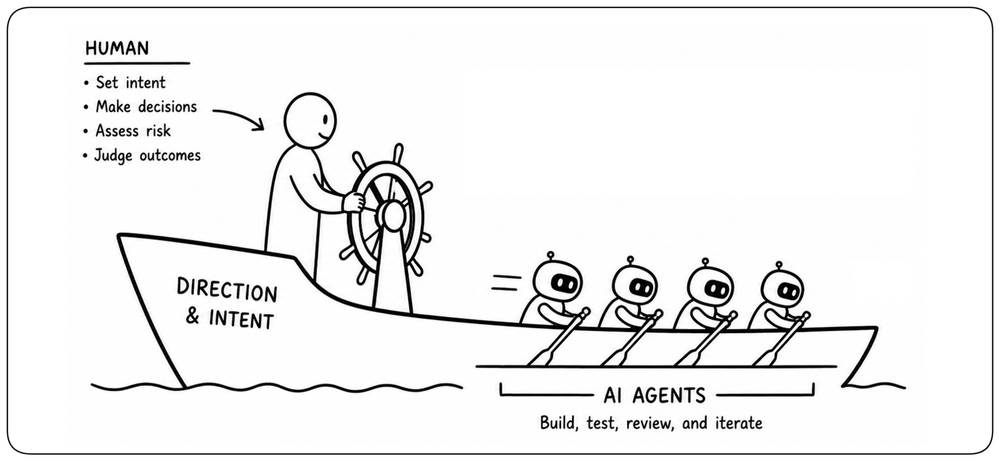
As AI agents take on more implementation and technical review, humans should avoid becoming the bottleneck by micromanaging every detail. Their role shifts toward setting intent, making architectural decisions, assessing risk, and judging outcomes. AI can scale execution only if humans learn to scale delegation.
Make Organizational Vision Executable [Architecture Checks]
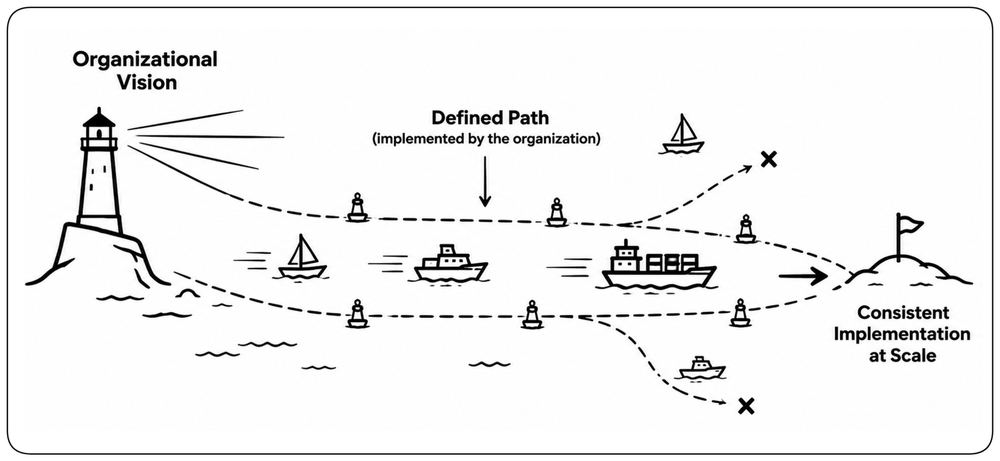
An organization’s vision should not live only in principles and documentation. Architecture, security, quality, compliance, and engineering standards translate that vision into concrete expectations for how software should be built. Wherever these expectations can be expressed deterministically, encode them as automated checks. This allows the organization’s vision to be applied consistently across every team, developer, and AI agent without relying on humans to enforce it change by change.
Keeping Master Clean [Keeping Master Clean]
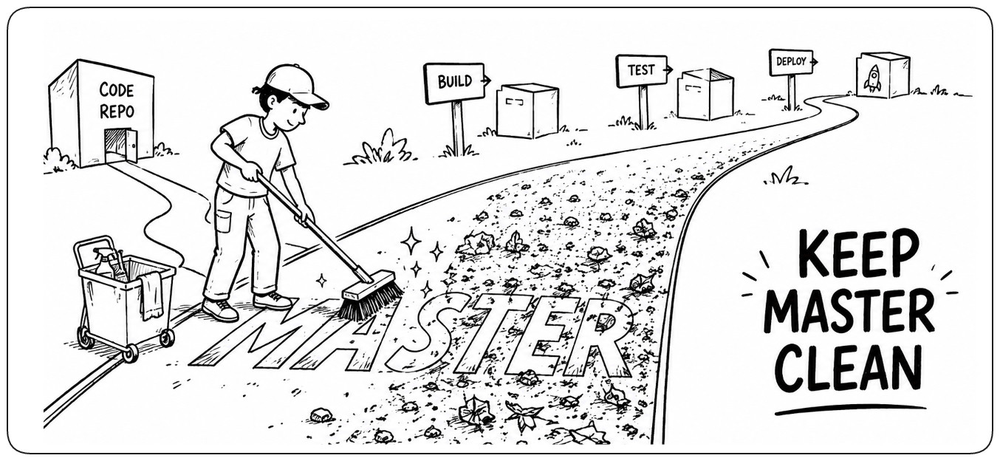
Master is the shared integration point for ongoing development. When it breaks, it can block the entire path to production and prevent everyone else from moving forward. How do we keep master clean without turning it into an obstacle to development? As more changes move through the build, keeping the shared integration point healthy becomes increasingly important.
What Makes Master Healthy [Broken Master]
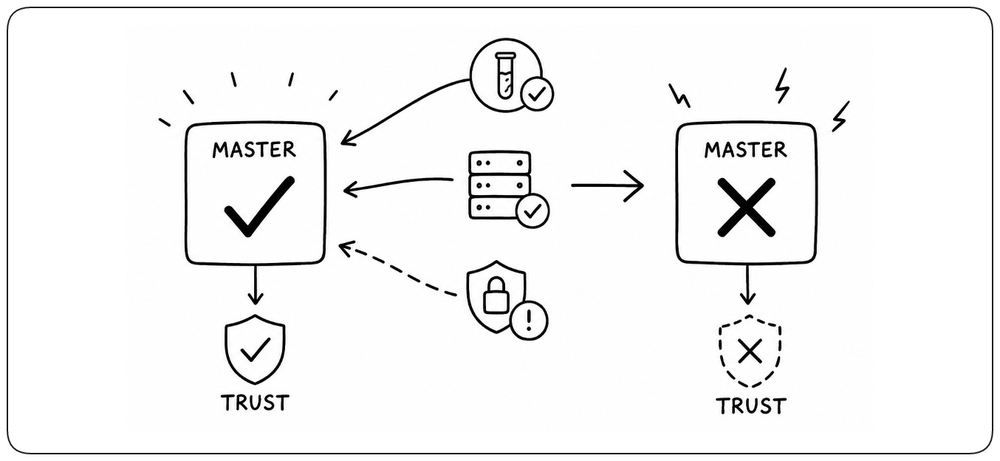
A healthy master is one for which the available evidence still supports trust. A successful build establishes that trust initially, but later evidence can invalidate it: an asynchronous test may fail, an integration environment may expose a problem, or a vulnerability may be discovered. Master health therefore extends beyond the moment the build turns green. When new evidence makes a revision unsafe, master should be treated as broken until trust is restored.
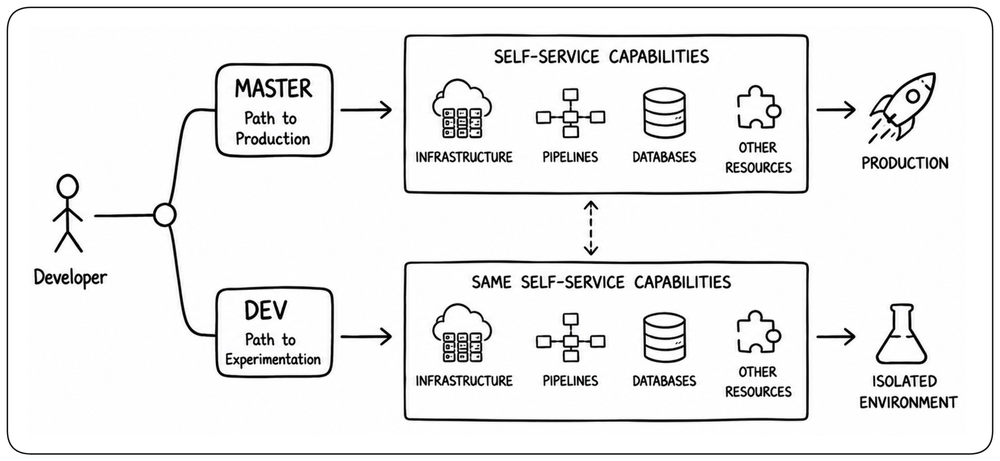
Provide a Safe Space for Experimentation [Safe Experimentation]
Developers need a safe way to build, deploy, and validate unfinished changes without putting master at risk. A separate experimentation environment lets them test freely without using the path to production as their testing ground. Providing this space removes one of the root causes of a broken master.
Extend Self-Service to the Experimentation Path [Self-Service Experiments]
Self-service capabilities should not exist only on the path to production. If teams can create infrastructure, pipelines, databases, or other platform resources only after merging to master, they are forced to use master for experimentation. The experimentation path should provide equivalent self-service capabilities in an isolated form, so teams can validate platform and infrastructure changes before they reach master.
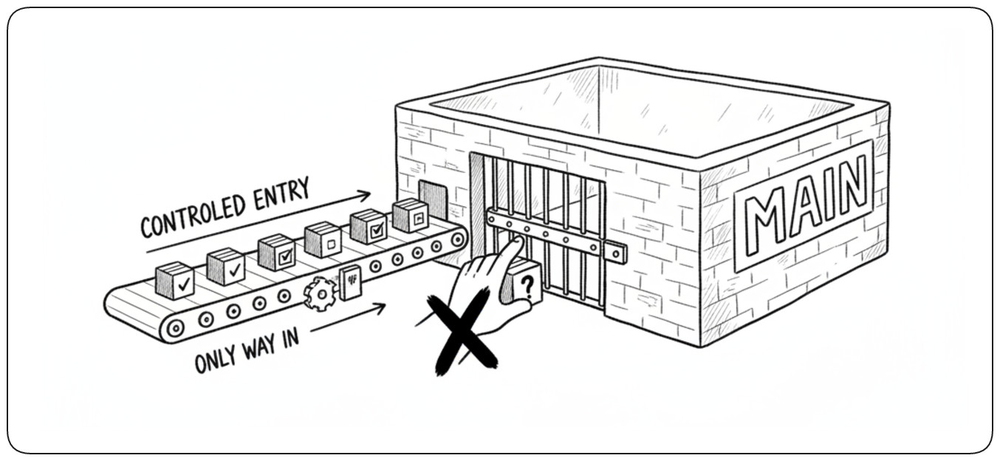
Protect Master from Unvalidated Changes [Protect Main]
Once developers have a safe place to experiment, master should accept only changes that have passed the required validation. Branch protection can enforce successful builds, automated checks, and review before merge. Master should never become the place where a change is tested for the first time.
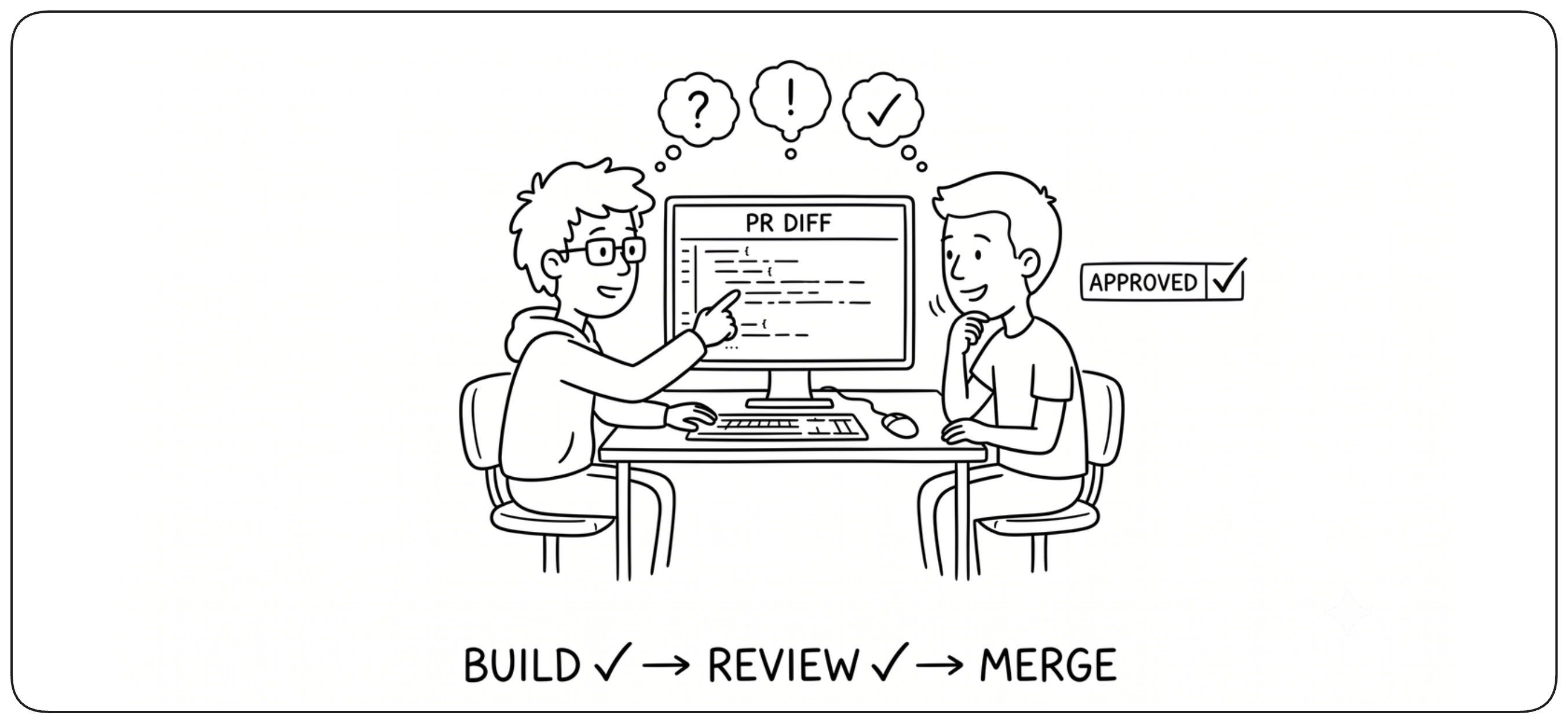
Review Before Changes Reach Master [Code Review]
Automated checks can verify many properties of a change, but they cannot fully judge intent, design, or maintainability. Code review adds human judgment before a change reaches master. Reviews are most effective when changes are small and automation has already handled what machines can verify.
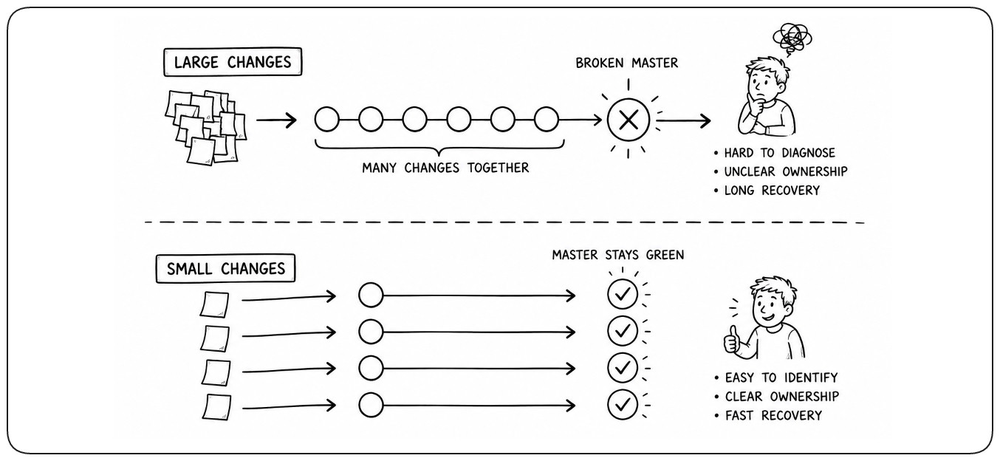
Keep Changes Small [Small Changes]
When many changes land together, a broken master becomes difficult to diagnose. The failure may come from several changes, ownership becomes unclear, and recovery can turn into a long investigation. Small changes make problems easier to identify, understand, fix, or revert. The smaller the change, the faster master can return to green.
Keep Isolation Short [Branching]
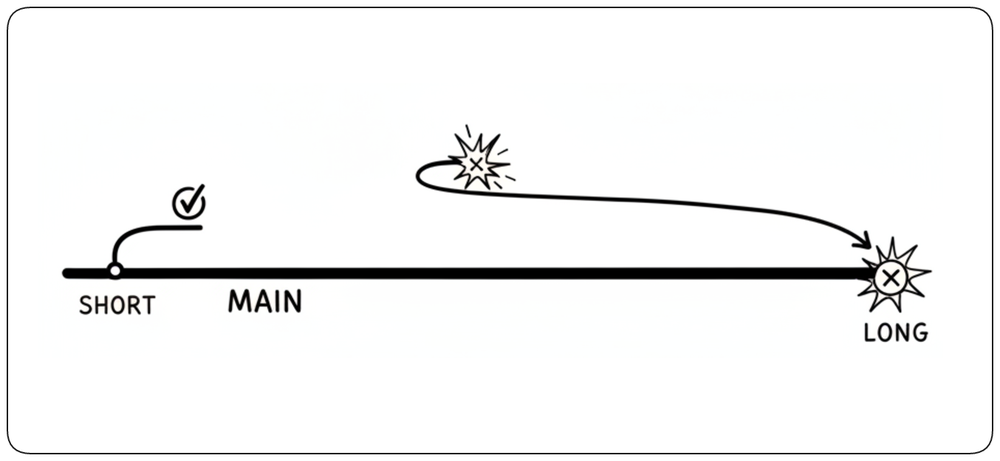
Every branch creates temporary isolation from master. The longer that isolation lasts, the more both sides can change independently and the harder reintegration becomes. Keep branches short-lived so divergence is discovered and resolved while it is still small.
Integrate Small Changes Frequently [Trunk Based]
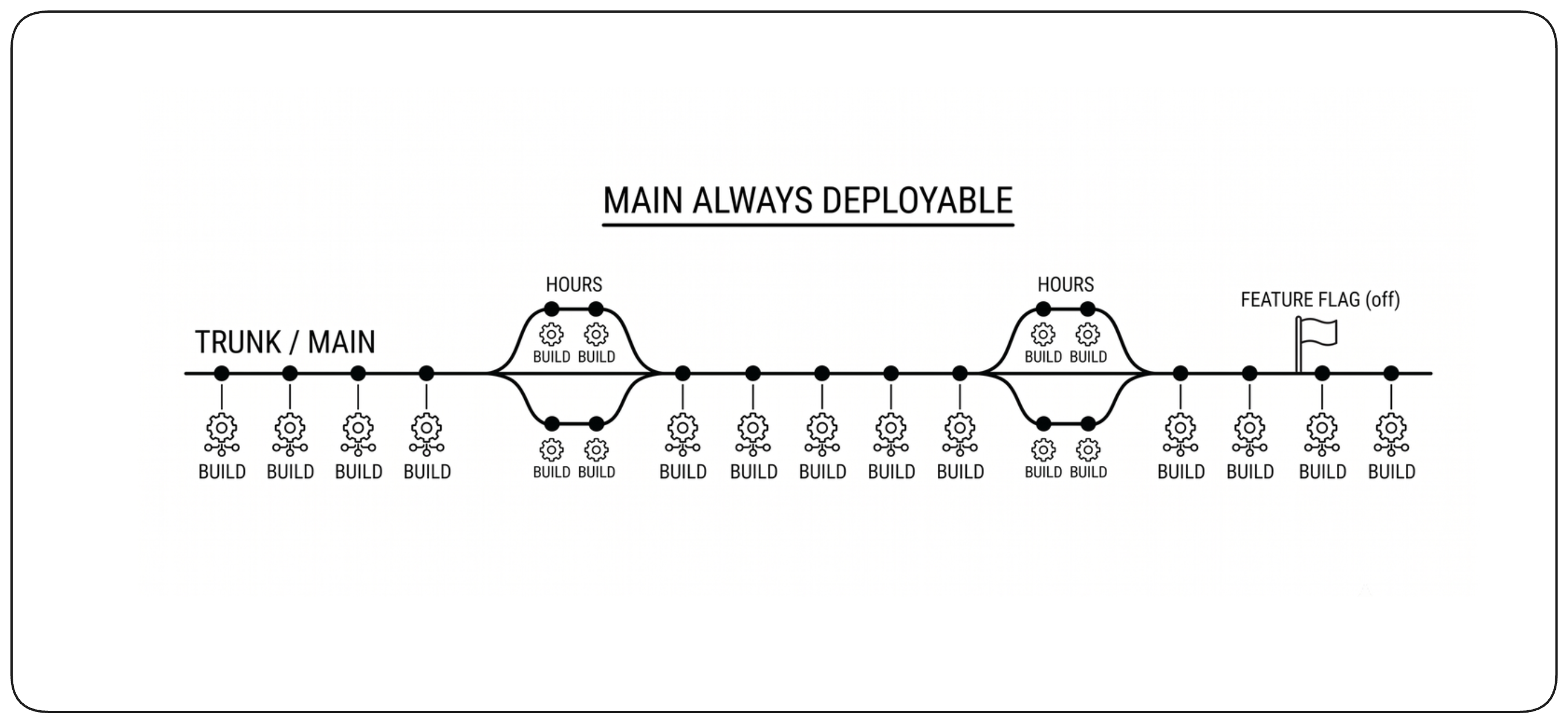
Trunk-based development combines these ideas: keep changes small and keep isolation short. Developers integrate directly into master or through very short-lived branches, exposing incompatibilities early. Feature flags allow unfinished functionality to remain hidden without keeping the code isolated.
Validate Against Master Before Merge [Test Against Master]
Pull request validation should anticipate not only whether the change itself is correct, but also what will happen when it reaches master. This is especially important in self-service platforms, where a merge may dynamically create pipelines, infrastructure, or other platform resources that do not yet exist during pull request validation. Checks such as tests, security, and policy validation can run normally, while actions with real platform or infrastructure effects should be simulated or executed in dry-run mode before merge.
Serialize Changes Before They Reach Master [Merge Queue]
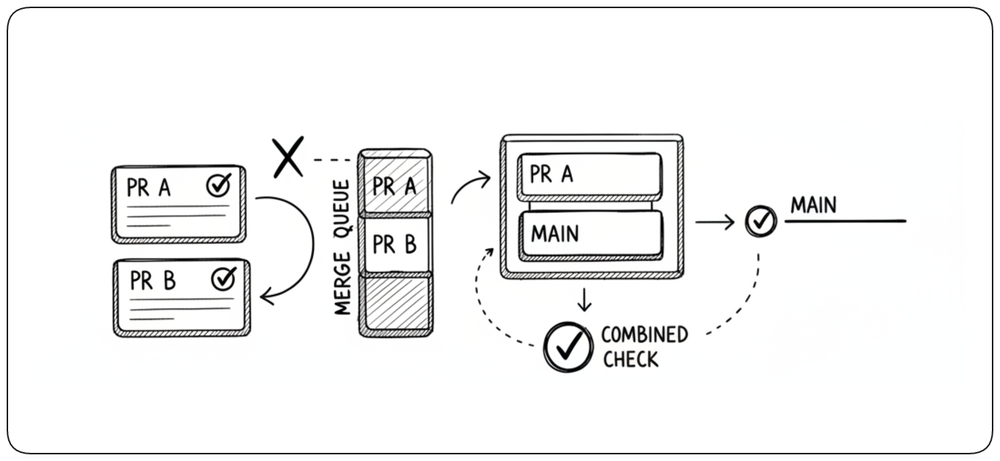
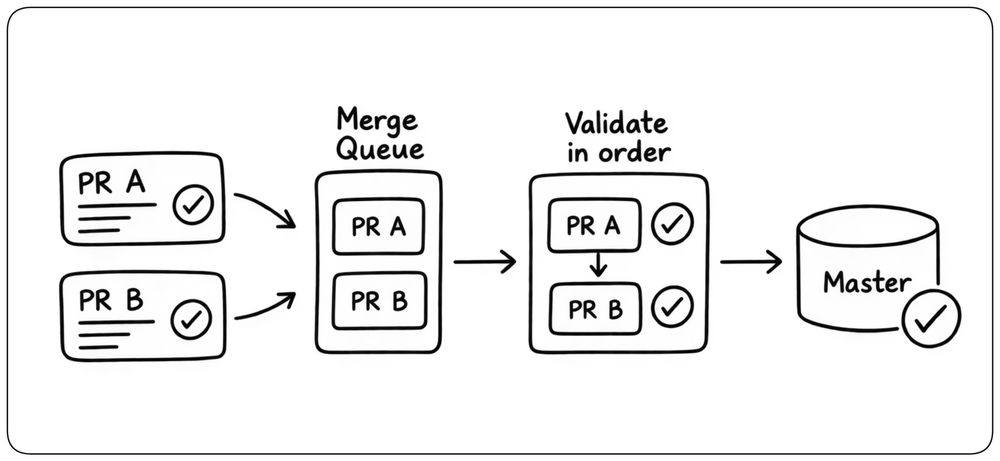
When several pull requests are ready at the same time, validating each one independently is not enough. A merge queue places changes in order and validates each change against the master state that includes the changes ahead of it. This prevents individually valid pull requests from breaking master when they are combined.
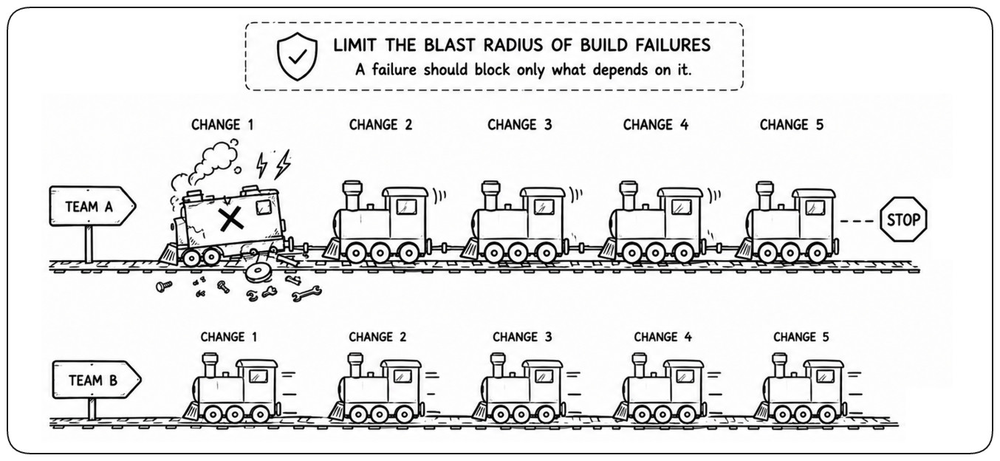
Limit the Blast Radius of Build Failures [Failure Isolation]
A failure should block only the parts of the system that depend on it. Define build boundaries so unrelated components and teams can continue moving when one part fails. Separate pipelines, independent artifacts, and dependency-aware builds can isolate failures whether the code lives in one repository or many.
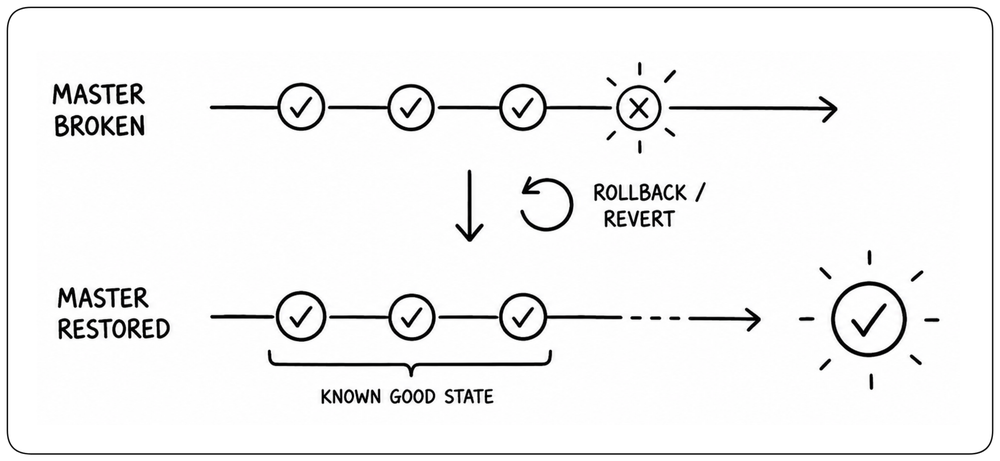
When Master Breaks, Restore It Immediately [Restore Master]
Prevention will never eliminate every failure. When master breaks, restoring it becomes the priority: fix the cause immediately or revert the offending change before normal work continues. A broken master should be a short-lived exception, never a state the team learns to work around.
Validating Safe Changes [Safe Changes]
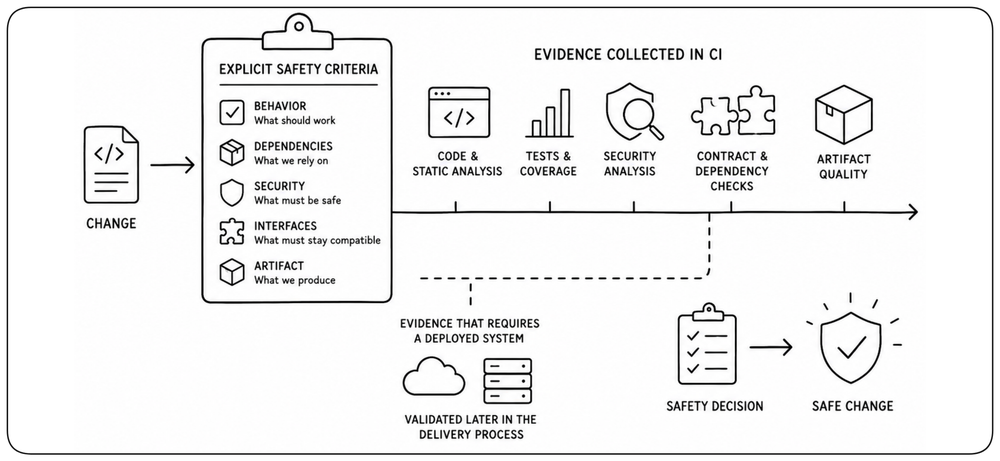
Validating a safe change requires evidence about behavior, dependencies, security, and the artifact produced by the build. Much of that evidence comes from testing, but tests alone are not enough. This section focuses on the validations that belong in CI; validation requiring a deployed system is covered in Design to Be Released.
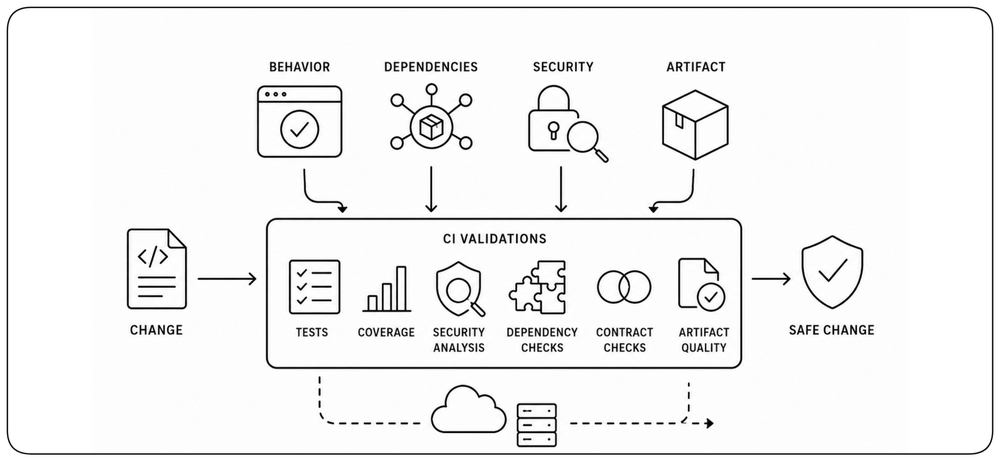
Safety Comes from Multiple Signals [Multiple Signals]
A change should not be considered safe because a single test or check passed. Different forms of validation expose different failure modes and provide different kinds of confidence. Safety comes from combining independent signals whose strengths and limitations complement one another.
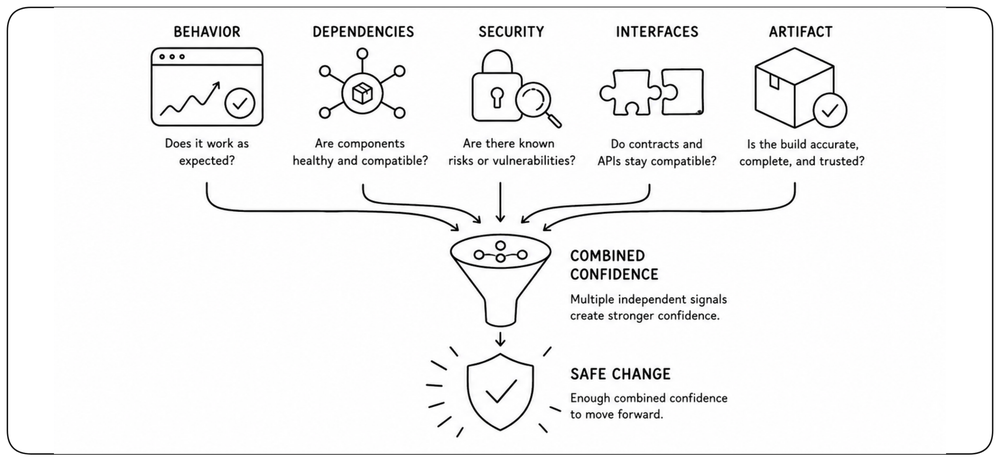
Make Safety Evidence Explicit [Explicit Evidence]
The evidence required to trust a change should be defined explicitly and collected where it can be established reliably. CI can evaluate signals from the code, dependencies, interfaces, tests, security analysis, and the artifact itself. Clear criteria make safety decisions consistent, observable, and automatable.
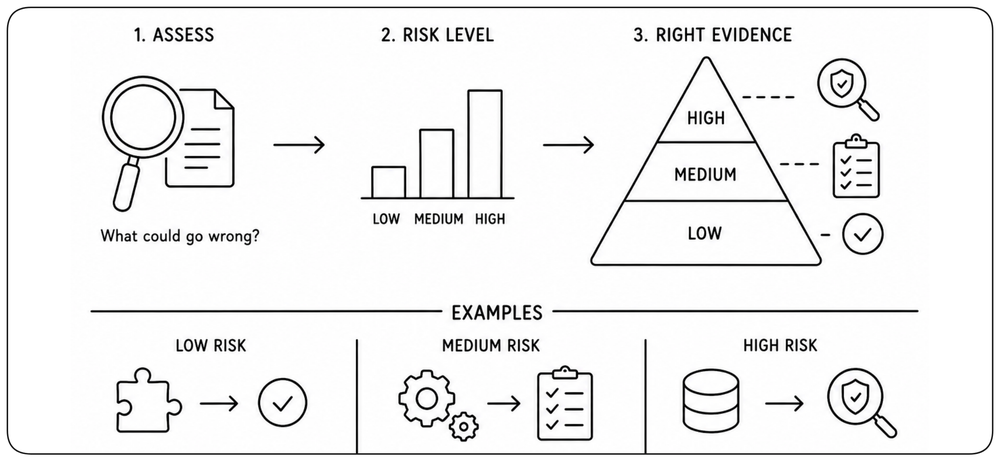
Match the Required Evidence to the Risk [Risk-Based Evidence]
The amount and depth of validation should reflect the potential impact of the change. A small isolated modification may need only lightweight checks, while changes affecting authentication, data models, infrastructure, or critical interfaces may require deeper validation and stronger blocking conditions.
Use the Smallest Credible Test Environment [Credible Environment]
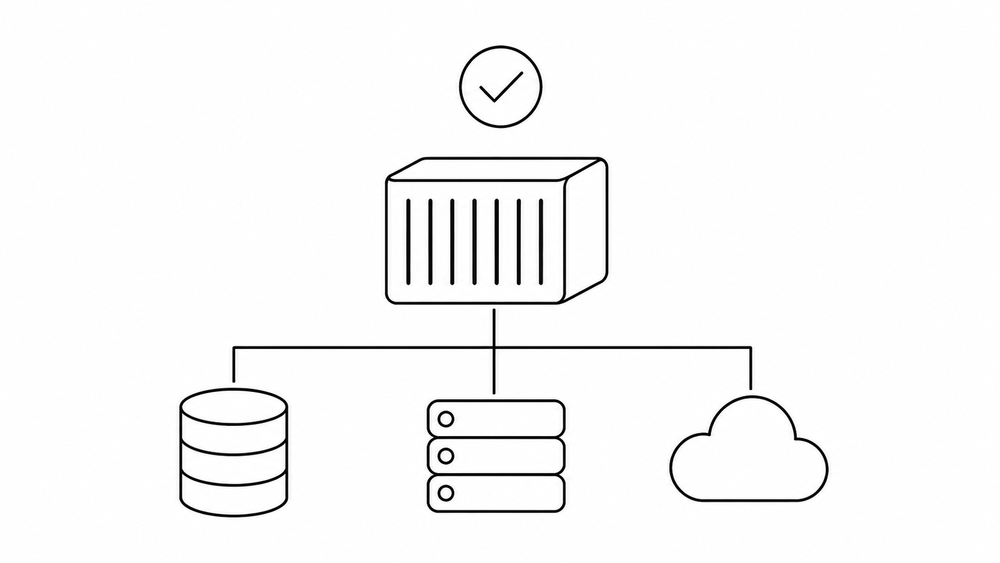
A test environment should be only as realistic as the claim requires. Unit tests can run with isolated dependencies, while integration tests may require real databases, brokers, or services created temporarily for the build. These environments should remain reproducible, disposable, and independent of long-lived deployments. Validation that requires an already deployed system belongs later in the delivery process.
Behavioral Validation: Balance Speed and Confidence [Behavioral Validation]
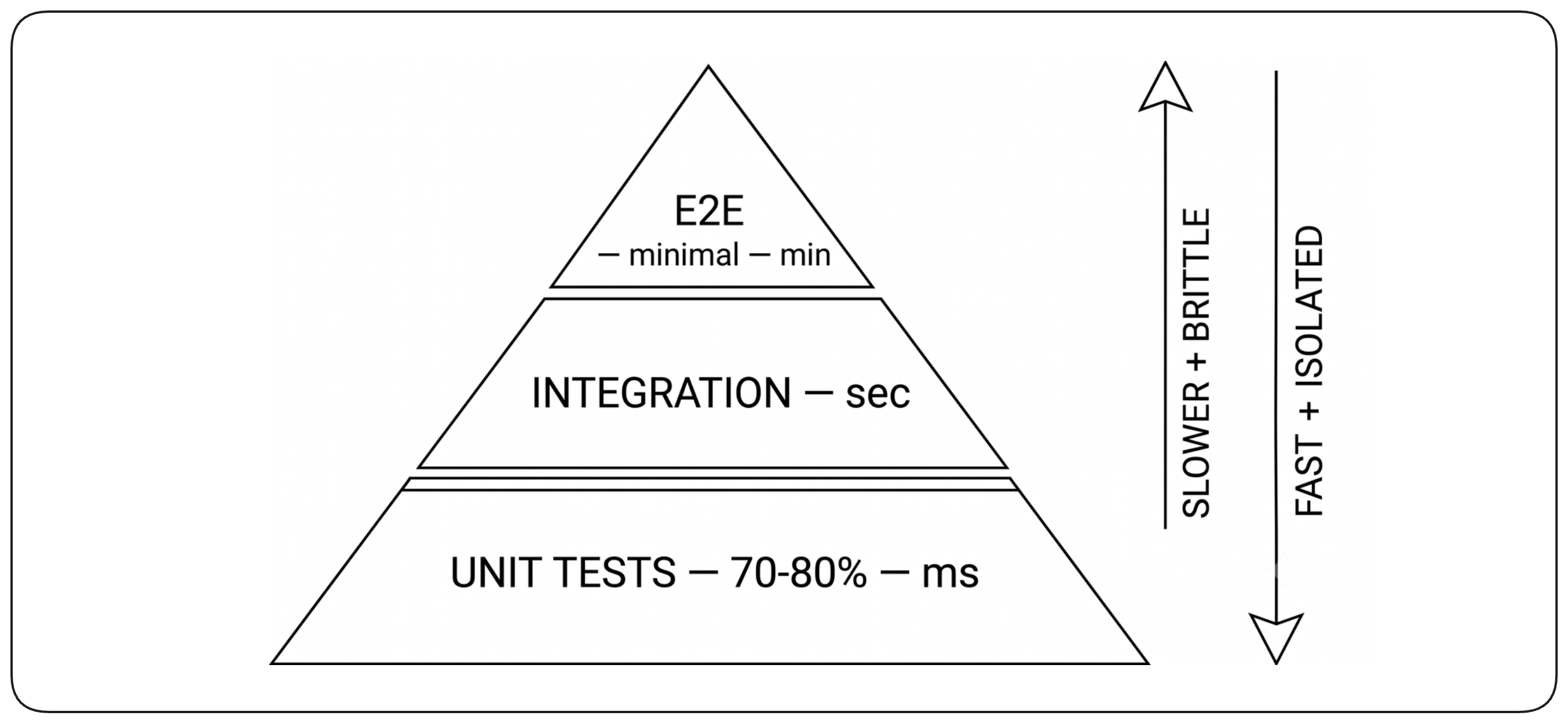
Behavioral validation checks whether the software behaves as expected. Use many fast, isolated tests for precise checks close to the code, and complement them with focused integration tests when interactions between components or dependencies need to be verified. The goal is to build enough behavioral confidence while keeping validation fast, reliable, and easy to diagnose.
Contract Validation: Protect Service Compatibility [Contract Validation]
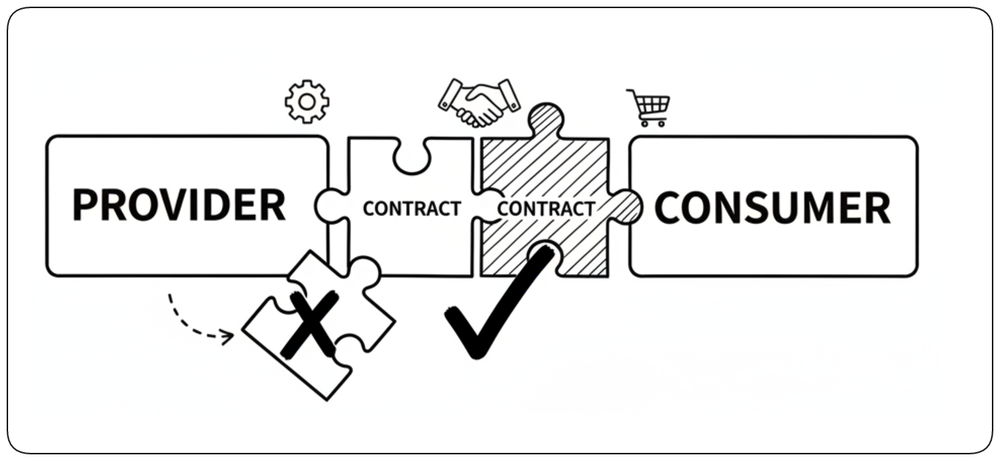
In distributed systems, a change can break another service even when both services work correctly in isolation. Contract tests verify that providers and consumers still agree on the shape and behavior of their interface. They catch incompatible API changes early without requiring a full end-to-end environment.
Detect Secrets Before They Spread [Secret Scanning]
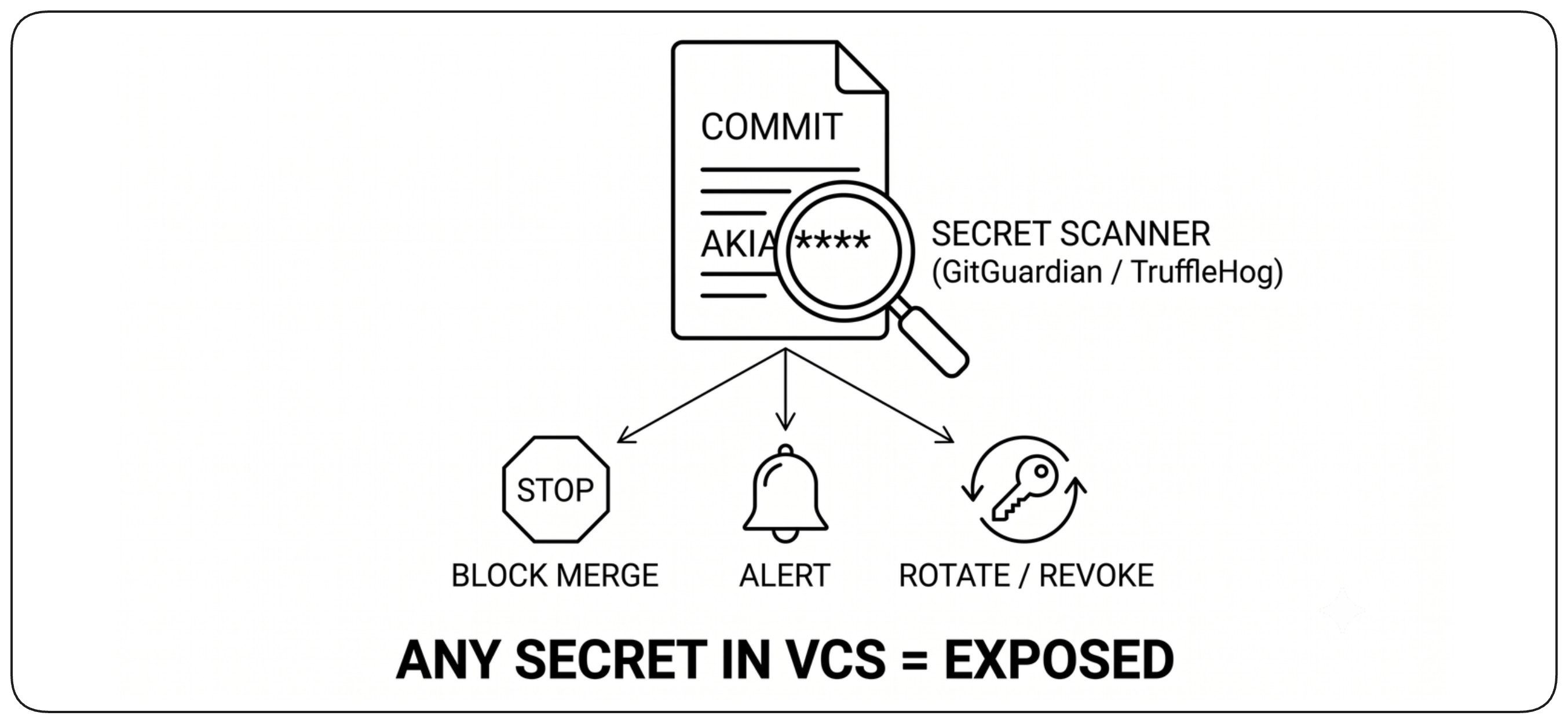
Credentials, API keys, private keys, and other secrets should never become part of source history or build artifacts. Automated secret scanning should detect them as early as possible and block unsafe changes. Once a secret has entered version control, it should be treated as exposed and rotated rather than simply removed from the latest commit.
Control Third-Party Dependencies [Third-Party Dependencies]
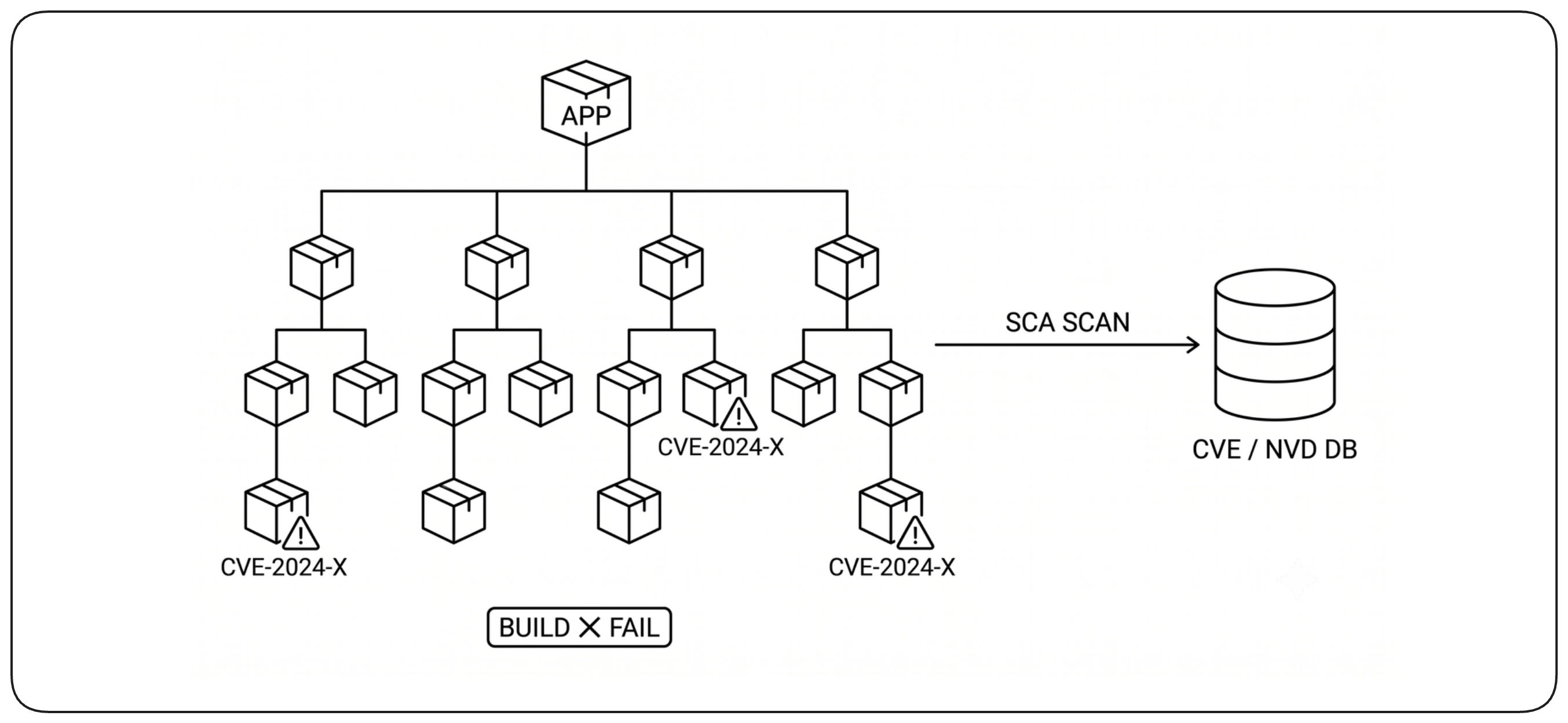
Third-party libraries and packages are part of the build input and must be controlled like your own code. Scan dependencies for known vulnerabilities, pin the versions being consumed, and retrieve them through trusted sources whenever possible. A reproducible and trustworthy build requires knowing not only which dependencies it uses, but exactly where they came from and which versions entered the artifact.
Analyze Code for Security Flaws [Code Analysis]
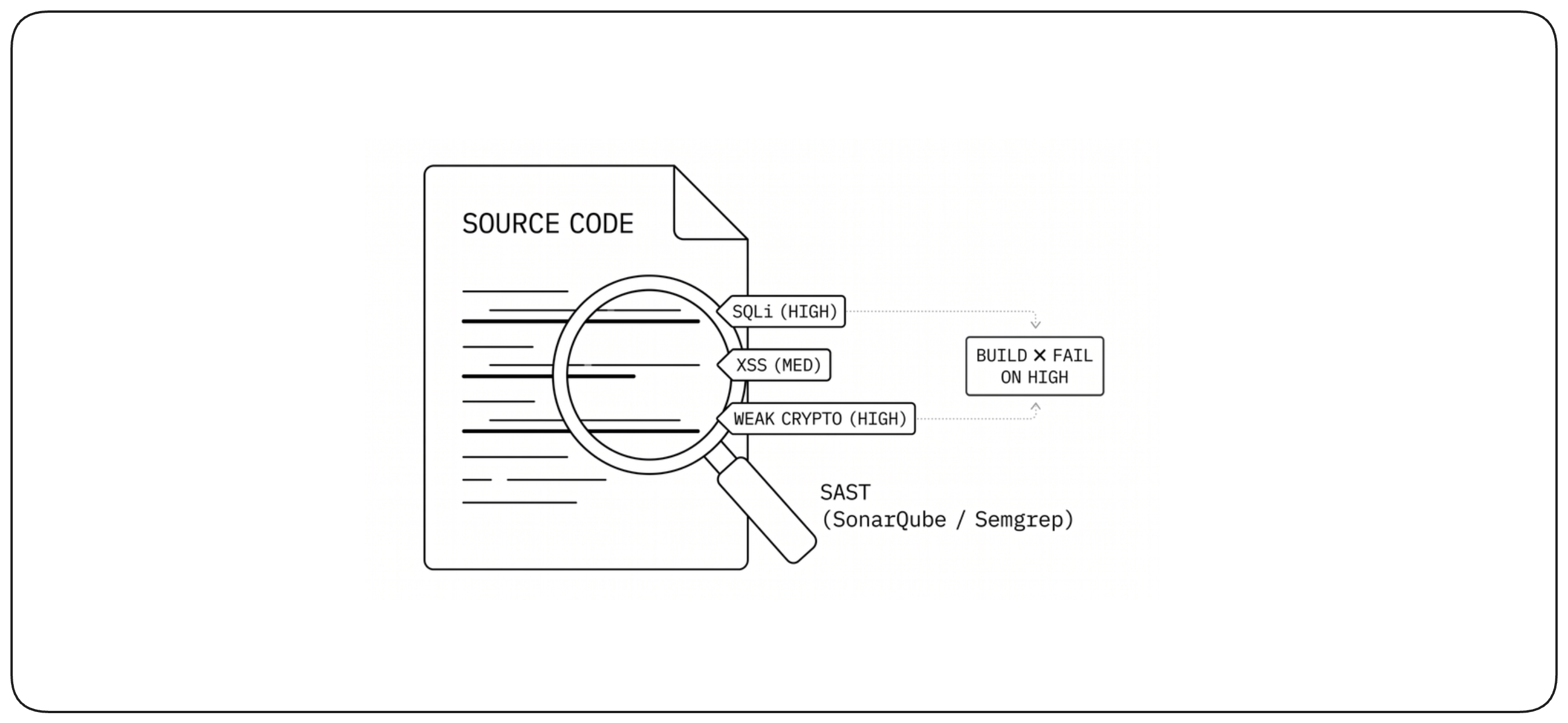
Static security analysis examines source code without executing it and can detect classes of vulnerabilities such as injection flaws, unsafe APIs, and insecure cryptography. These checks are useful early in the build, but they must be tuned carefully: noisy rules and false positives quickly become ignored. Blocking policies should focus on findings that represent meaningful risk.
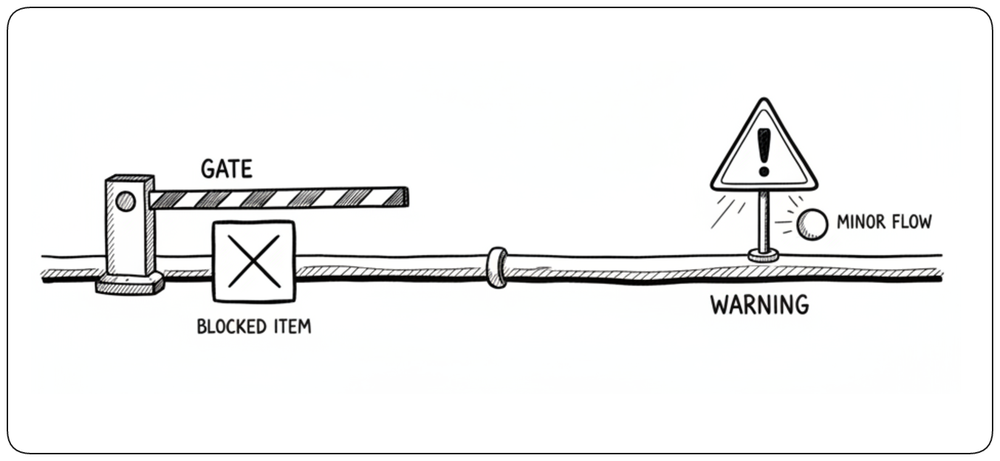
Enforce Safety Decisions with Gates [Safety Gates]
Individual checks produce evidence; the build evaluates that evidence together according to the risk and the required criteria. Missing evidence or unacceptable results should block progression, while advisory findings may remain warnings. Gates should be few, explicit, and reserved for conditions that genuinely make progression unsafe.
Securing the Build [Build Security]
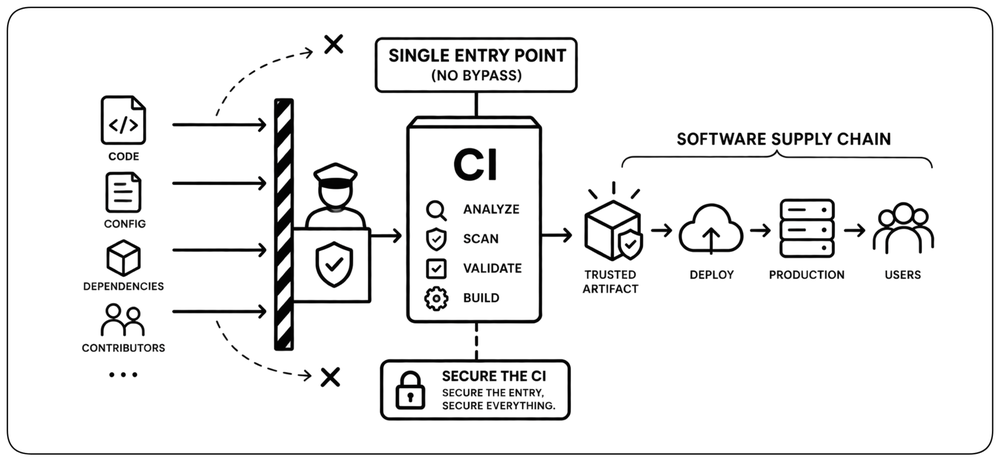
The build is the controlled entry point into the software supply chain. Every change intended for production must enter through CI; there should be no alternative path around it. This makes the build a critical security boundary: it is where changes are analyzed, validated, and transformed into trusted artifacts before they can move further. Securing the build therefore means protecting that entry point itself—who and what can enter, what access the build receives, and whether its outputs can still be trusted.
Secure Who Can Change Code [Code Access Control]
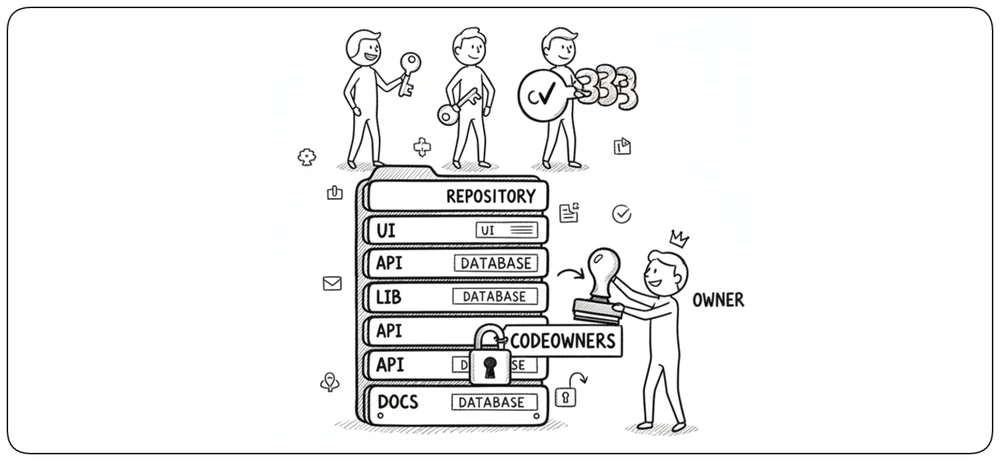
Security starts before the build runs: only authorized people and systems should be able to change the code that enters it. Repository access should follow least privilege, sensitive areas can require approval from designated owners, and strong authentication should protect write access. The goal is to control who can introduce a change before the build begins deciding whether that change can be trusted.
Safe Collaboration with External Contributors [External Contributors]
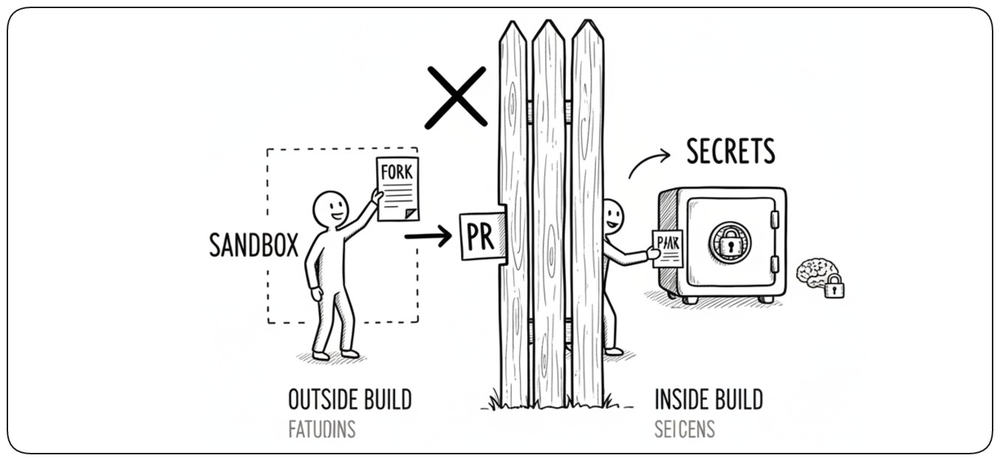
External contributions introduce untrusted code into the build process and therefore require a stronger boundary. Fork-based workflows can let contributors propose changes without write access to the repository, while their builds run with restricted permissions and without access to secrets or protected resources. Collaboration remains open without giving untrusted code the privileges of an internal build.
Give the Build Only the Access It Needs [Build Permissions]
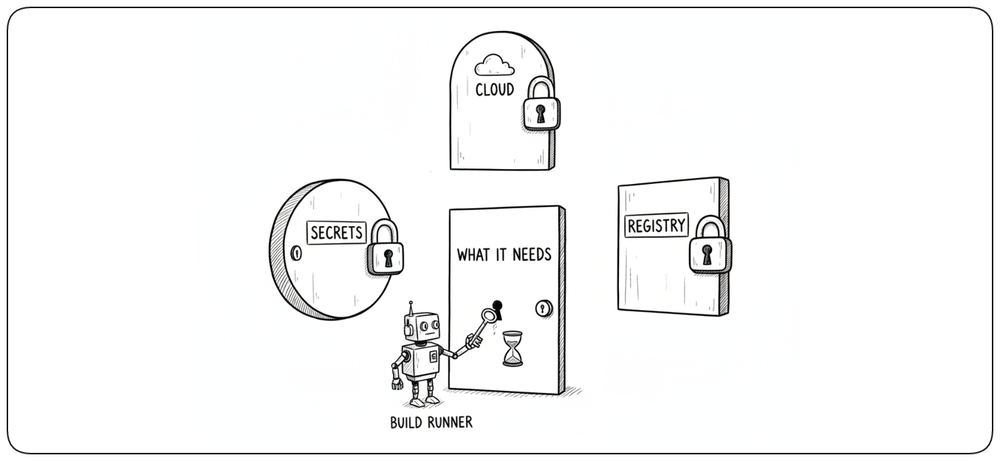
Build runners and service accounts often have access to source code, secrets, registries, and cloud resources, making them valuable attack targets. Apply least privilege: each job should receive only the permissions and credentials it needs, for only as long as it needs them. A compromised build step should not automatically provide access to the rest of the infrastructure.
Protect Artifact Integrity [Artifact Integrity]
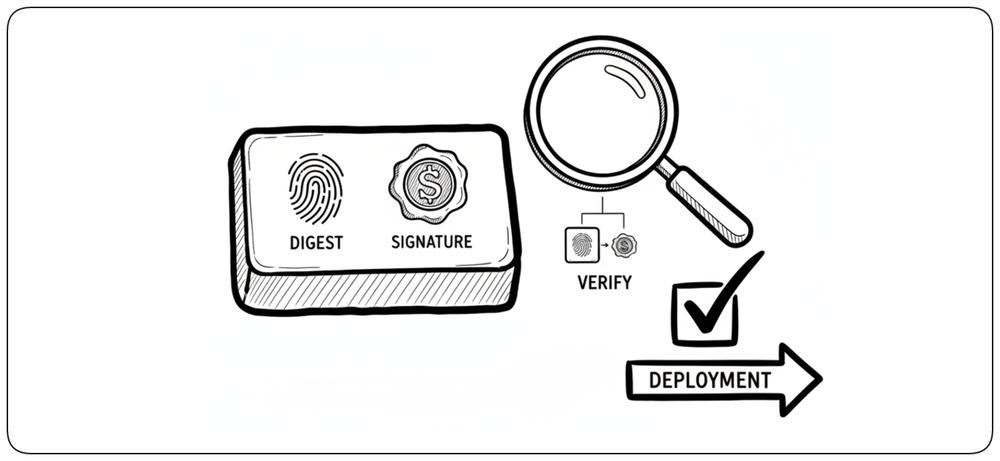
Once an artifact has passed the build, consumers must be able to verify that it is still the exact artifact that was approved and that it has not been modified afterward. A cryptographic digest identifies the artifact content, while a digital signature binds that digest to a trusted signing identity. Deployment systems should verify both before running the artifact, preserving integrity and provenance from build to production.
Protect the Software Supply Chain [Software Supply Chain]
Security checks protect the build from unsafe inputs, but the build itself must also be protected. Its tools, dependencies, runners, credentials, and outputs form part of the software supply chain and should be controlled and auditable. If the build infrastructure is compromised, even correctly written source code can produce an untrusted artifact.
Artifact Management [Artifacts]
Artifact management keeps validated build outputs available, identifiable, and trustworthy after the build completes. Once the build has established trust, artifact management must preserve that trust as the output is stored, identified, and eventually consumed.
Build Outputs Take Different Forms [Artifact Forms]
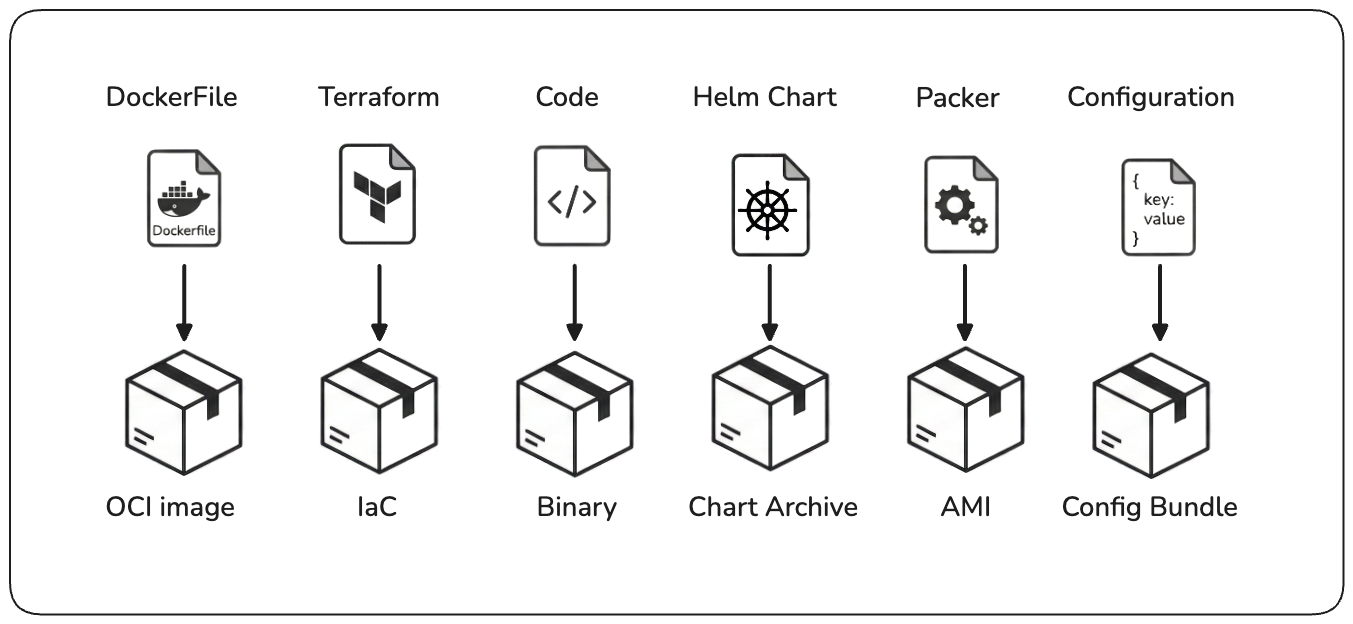
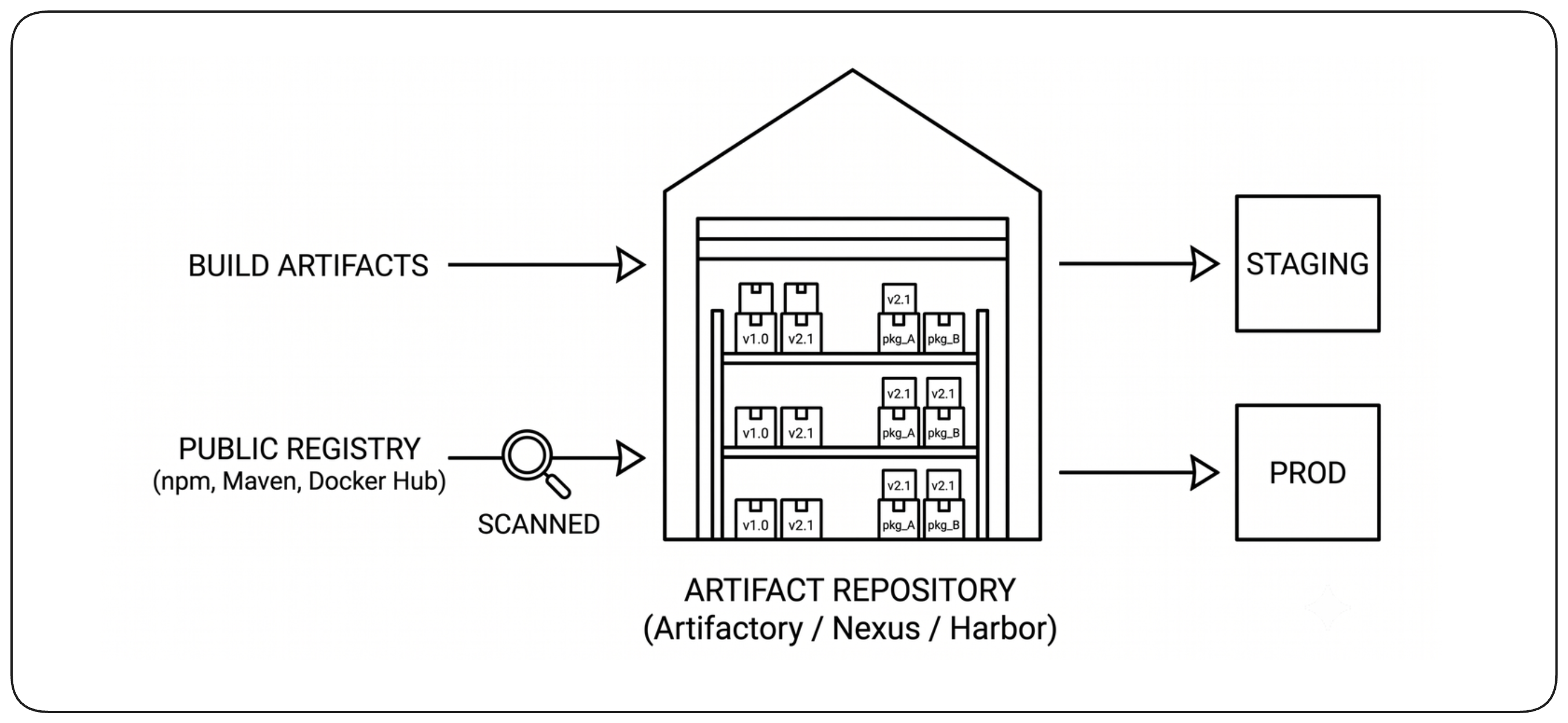
A build artifact is an immutable output produced and validated for later use. It may be a binary, container image, infrastructure package, machine image, deployment chart, or configuration bundle. Whatever its form, it becomes an identifiable unit that can be stored, traced, promoted, and consumed without being rebuilt.
Store Artifacts in a Repository [Artifact Repository]
Validated build outputs should be stored in a dedicated artifact repository or registry rather than left on build machines or mixed with source code. A central repository gives deployment systems a stable place to retrieve approved artifacts and provides consistent access control, retention, and auditability.
Give Every Artifact an Immutable Identity [Immutable Identity]
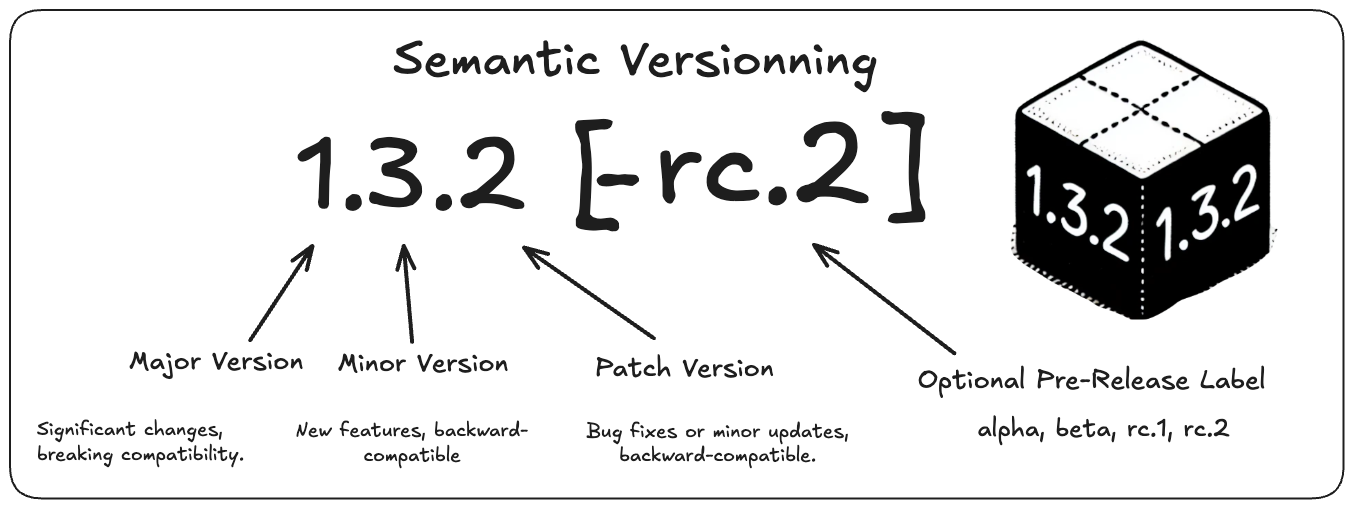
Every artifact needs an immutable identity so teams can know exactly what was tested, deployed, or rolled back. A release version such as 1.4.2 identifies a logical release; a build identifier distinguishes a particular build; a cryptographic digest identifies the exact artifact content. These identifiers serve different purposes. An identifier that is meant to identify immutable content must never be reassigned to different content. Together they provide human-readable versioning and precise machine-verifiable identity.
Keep Artifact Metadata and Provenance [Artifact Provenance]
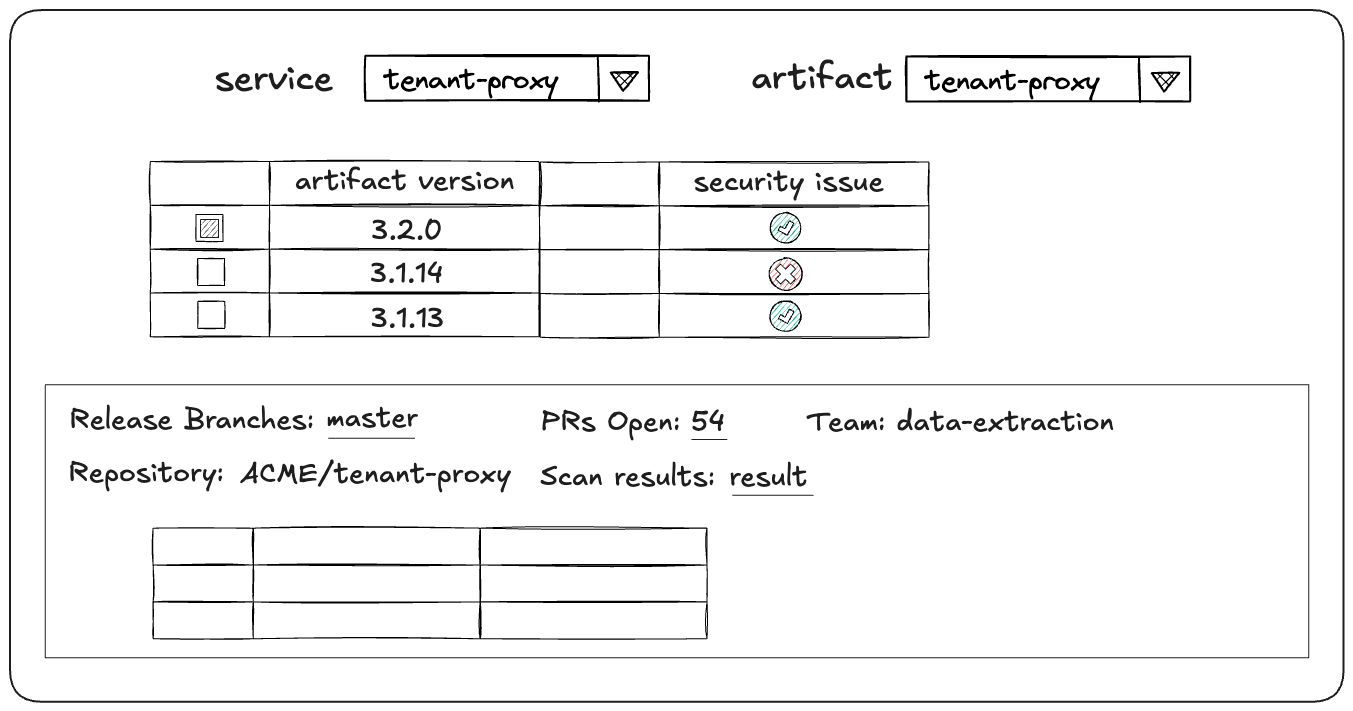
An artifact should preserve enough metadata to explain where it came from and what evidence allowed it to progress. This typically includes the source revision, build identifier, creation time, and relevant test and security results. Provenance connects the final artifact back to the process that established its trust, making troubleshooting, auditing, and deployment decisions much easier.
Define Artifact Retention [Artifact Retention]
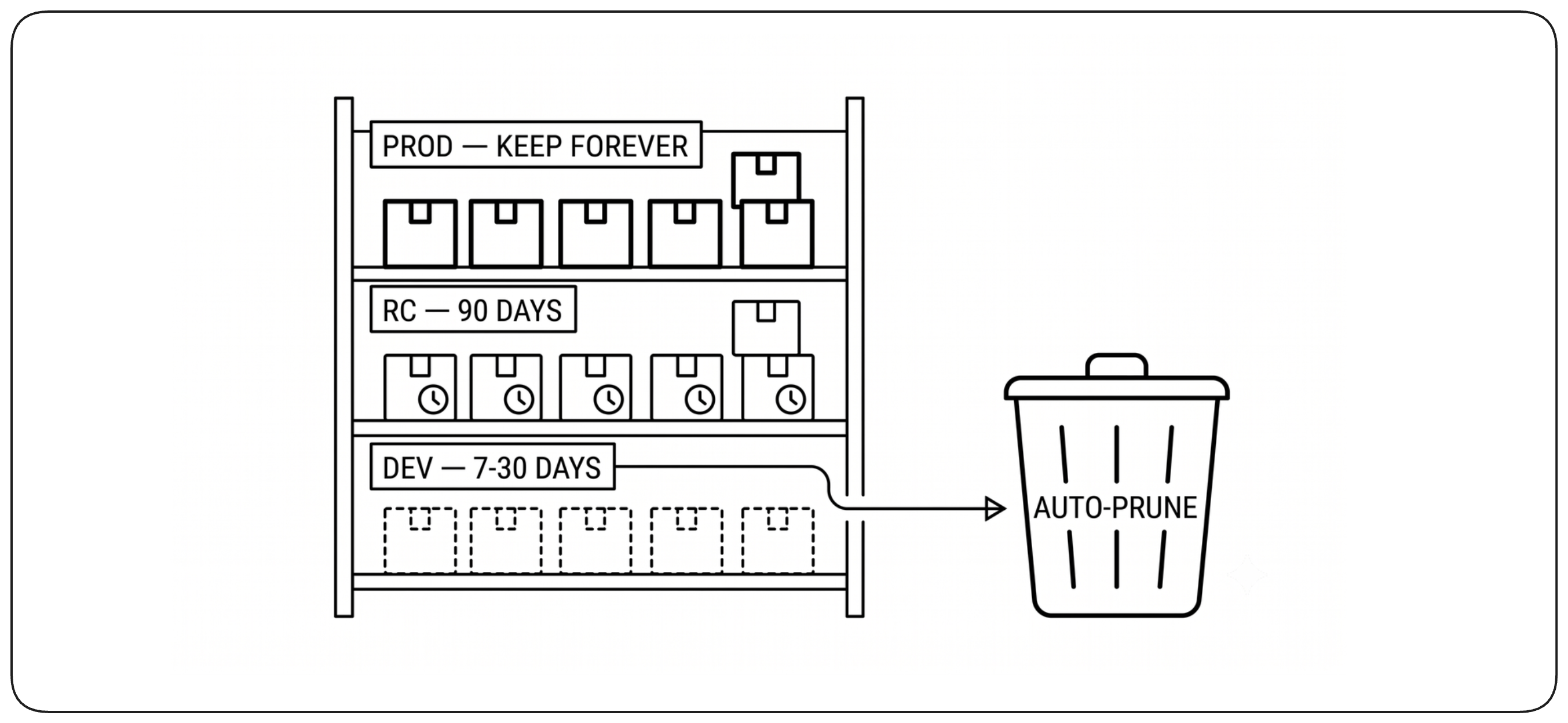
Artifact repositories grow continuously, so retention must be intentional. Keep artifacts as long as they are needed for production rollback, audit, compliance, or active development, and remove obsolete outputs automatically. Retention policies should reflect operational needs rather than fixed time periods applied uniformly to every artifact.
The Platform Role [Platform Role]
A build platform should remove infrastructure complexity from application teams while preserving the standards needed for security, reliability, and consistency. Its role is to provide a paved path: easy defaults for common cases, enough flexibility for exceptional needs, and shared capabilities that teams should not have to rebuild themselves. Making these practices work consistently across many teams requires more than good build definitions—it requires a platform that makes the right path easy to follow.
Choose the Right Build Infrastructure [Build Infrastructure]
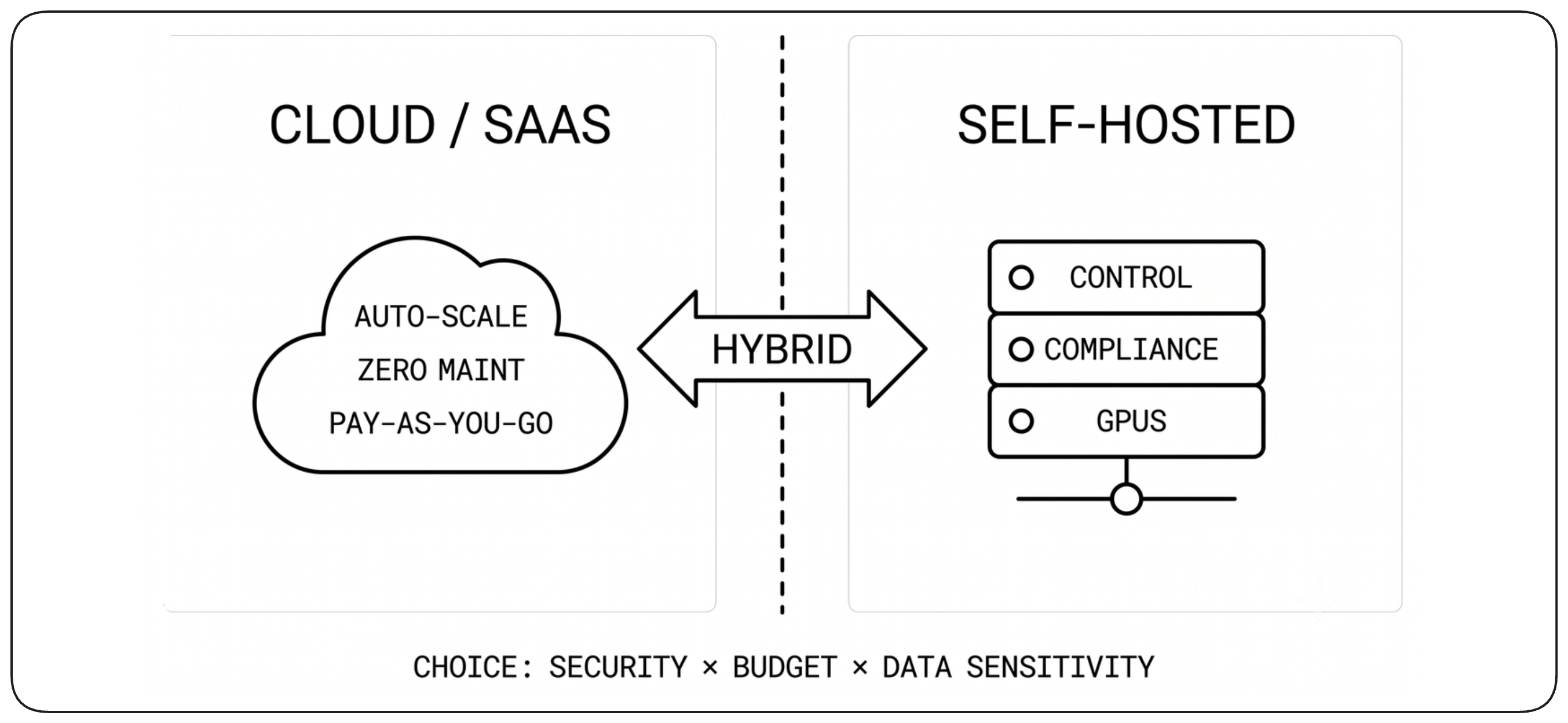
Build infrastructure can be provided as a managed service, operated internally, or combine both approaches. Managed platforms reduce operational burden and scale easily, while self-hosted runners provide greater control over networking, hardware, security, and compliance. The right model depends on workload requirements; the platform should hide most of that choice from developers whenever possible.
Provide a Paved Path [Paved Path]
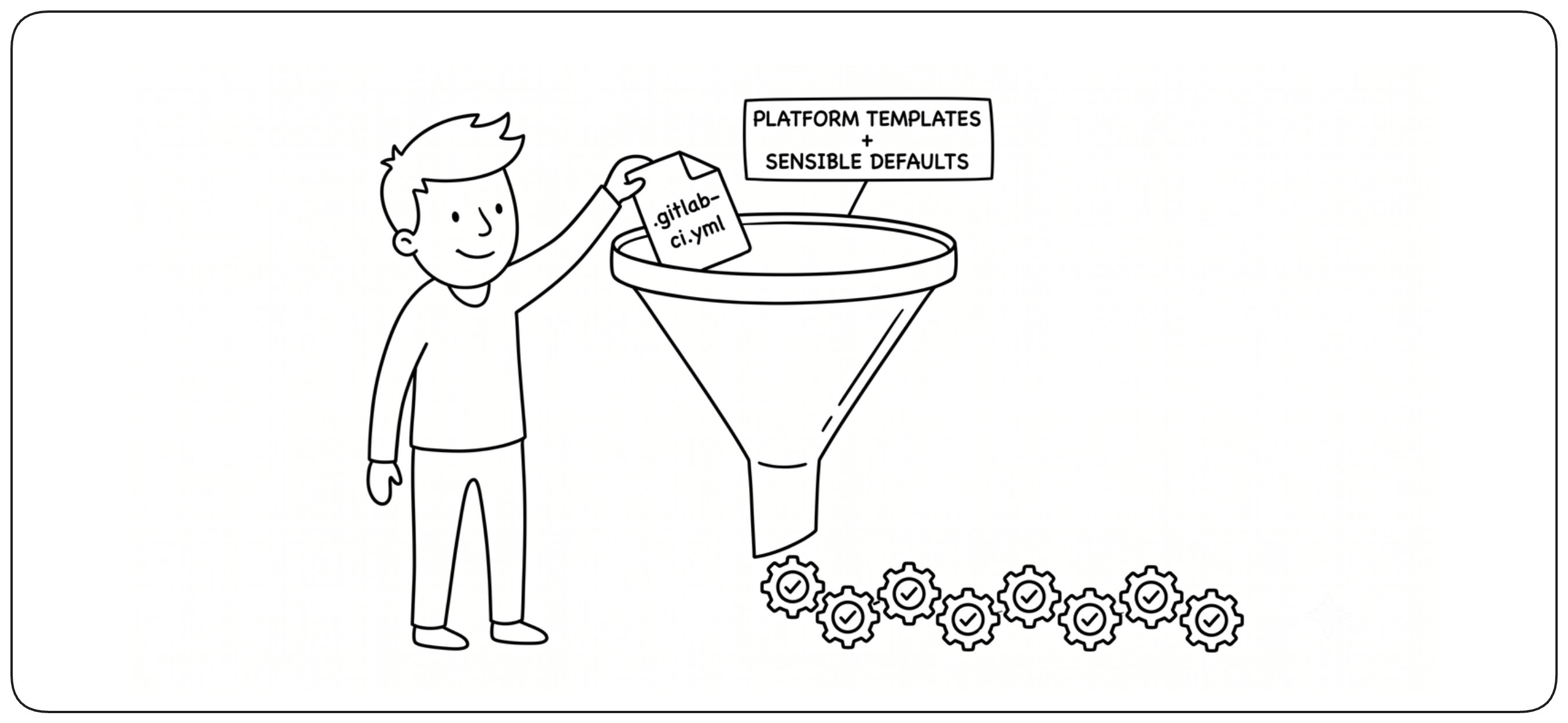
The common path should require very little configuration. Reusable templates, sensible defaults, and built-in quality and security controls let teams start with a reliable build without designing a pipeline from scratch. Developers should customize the build only when their application genuinely requires something different.
Optimize for the Platform, Not the Individual Build [Platform Optimization]
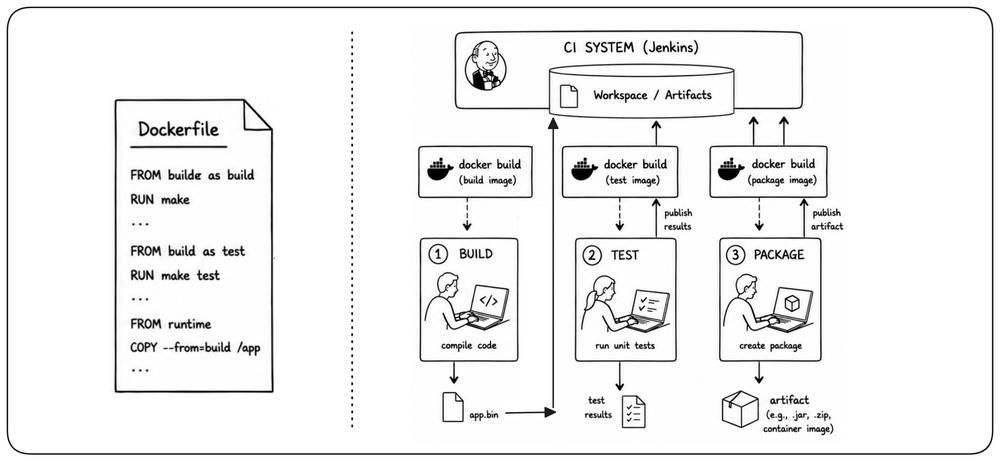
Platform design sometimes requires trading a local best practice for greater consistency and control at scale. A multi-stage Docker build may be elegant for one service, but keeping compilation, tests, and packaging visible as separate platform steps can make reporting, security checks, caching, and policy enforcement easier to standardize across many teams. The goal is not to optimize each build in isolation, but to choose conventions that make the whole platform easier to operate and evolve.
Use Managed Steps for Shared Capabilities [Managed Steps]
Common build capabilities should be provided as centrally maintained building blocks rather than reimplemented independently by every team. Managed steps for tasks such as security scanning, publishing, or compliance let the platform improve behavior once and propagate that improvement everywhere. Teams keep control of application-specific build logic while shared concerns remain consistent and maintainable.
Keep Policy Outside the Build Definition [Central Policy]
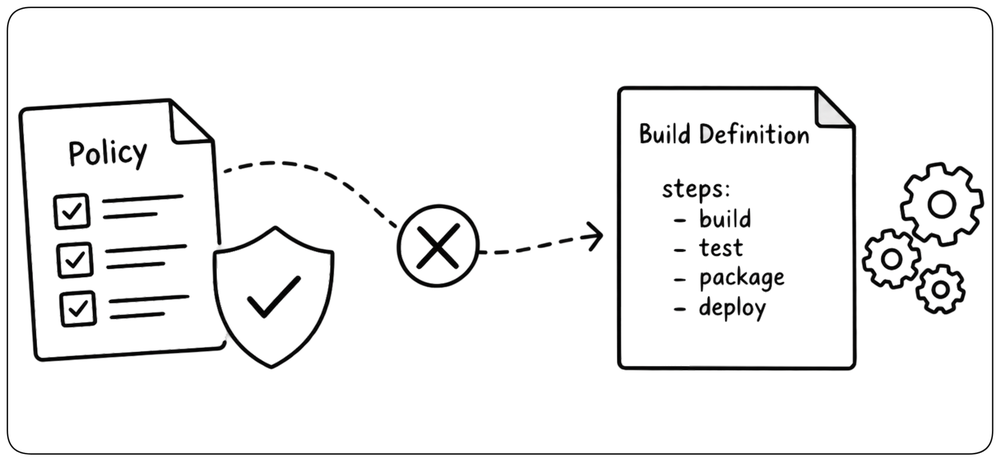
In large organizations, shared validation should not depend on every team updating its Dockerfile or build script. The platform should provide standardized checkpoints around the build so new security, quality, or compliance checks can be introduced centrally. Application teams keep control of how their software is built, while the platform controls the rules every change must pass.
Keep Build Configuration as Code [Build Configuration]
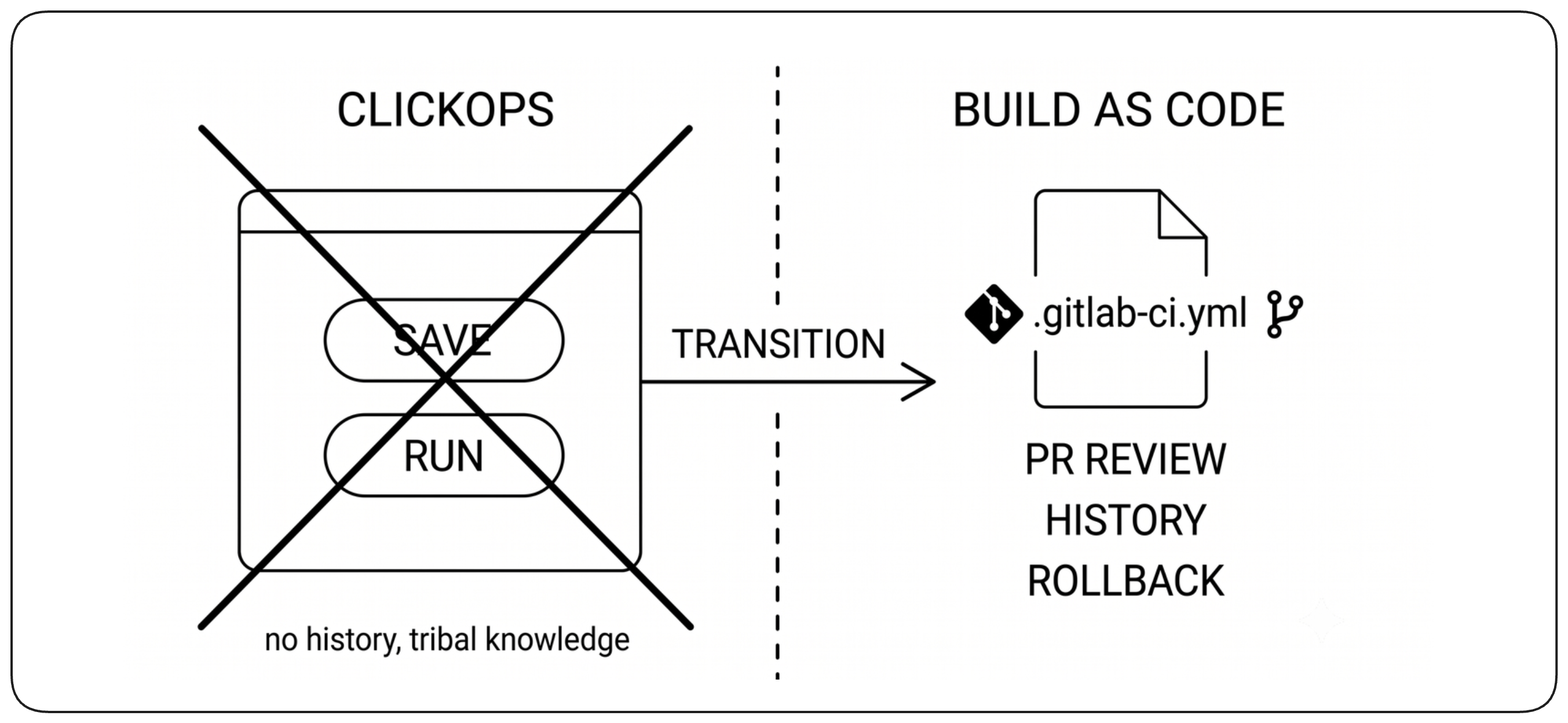
Build configuration should live in version control alongside the software it builds. Changes then become reviewable, traceable, and reversible like any other code change. Avoid critical build behavior that exists only as mutable configuration in a web interface, where its history and intent are difficult to understand.
Enable Self-Service with Guardrails [Self-Service]
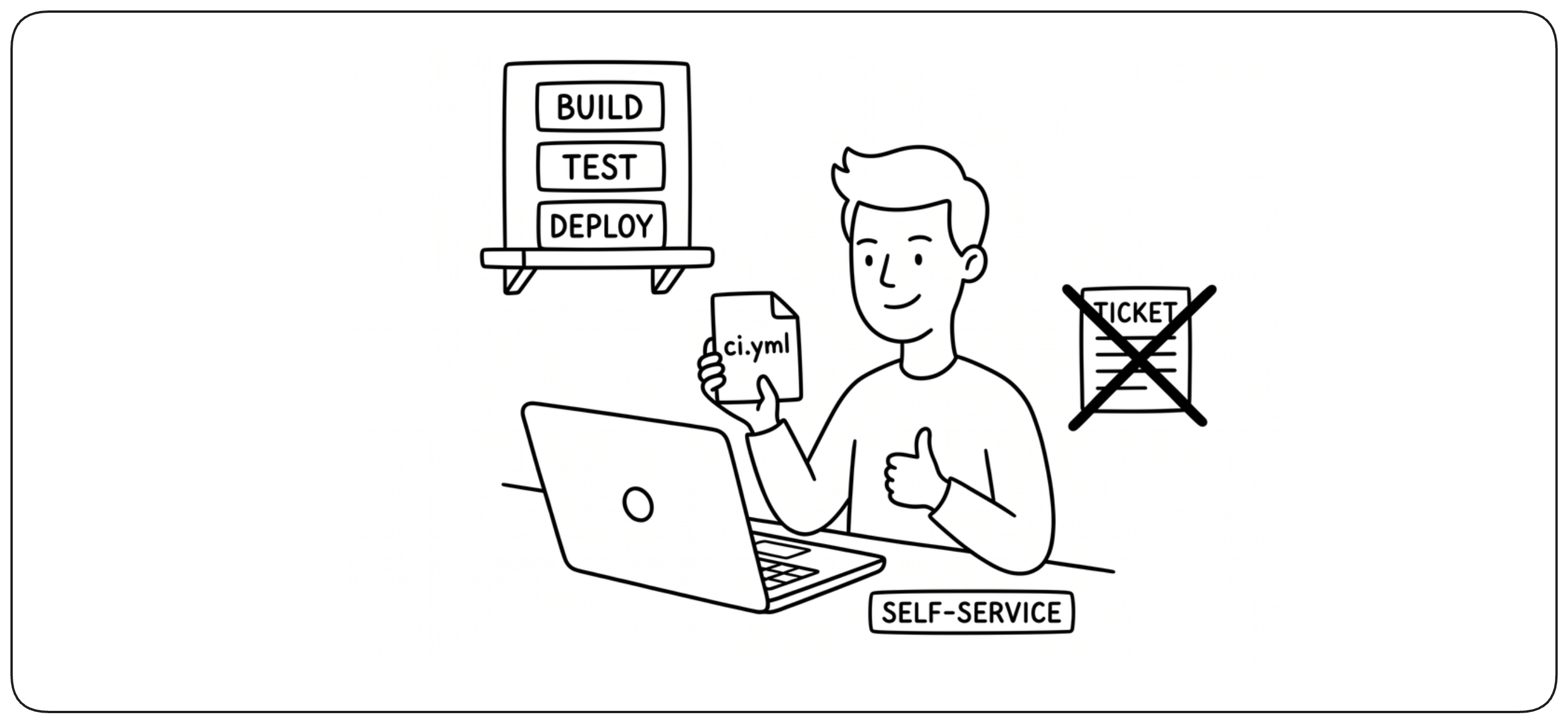
Developers should be able to modify and extend their own build configuration without depending on a platform team for every change. The platform should provide reusable templates, policies, and safe defaults, while application teams remain free to adapt the build to their needs. Self-service scales ownership without giving up consistency or security. The same guardrails should apply to experimentation paths, allowing teams to move quickly without turning experimentation into a way around the controls required for production.
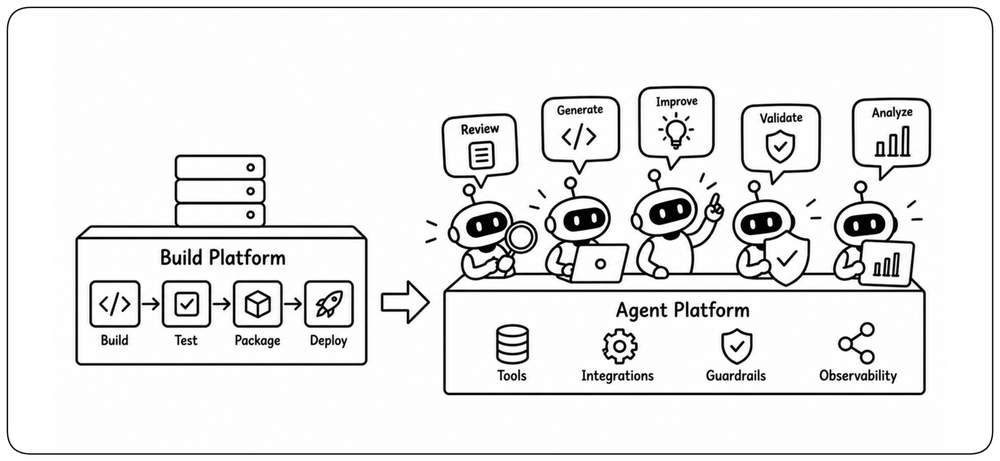
Build Platforms Become Agent Platforms [Agent Platforms]
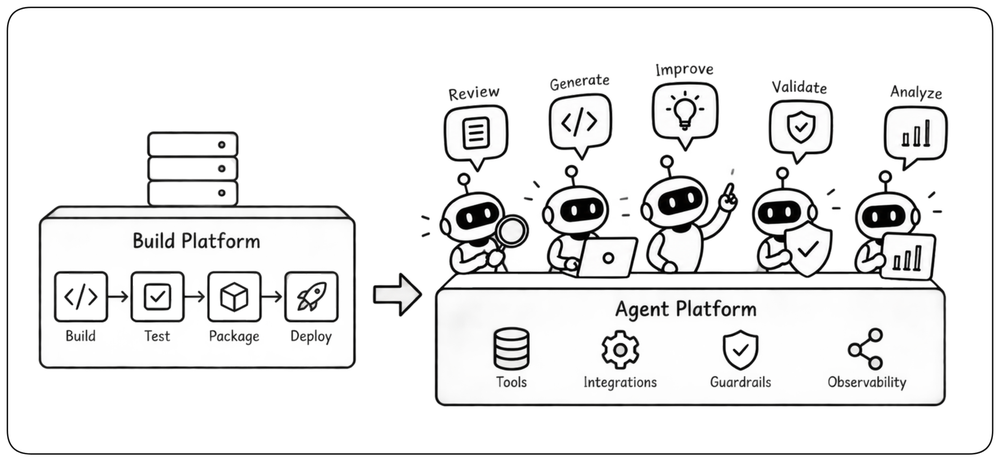
Build platforms were designed primarily for developers and automation scripts. AI agents now become another class of user, requiring programmable interfaces, structured feedback, scoped permissions, and strong guardrails. Agents should be able to inspect failures, trigger work, and iterate autonomously without gaining a way around the trusted path to production.
Build Performance [Performance]
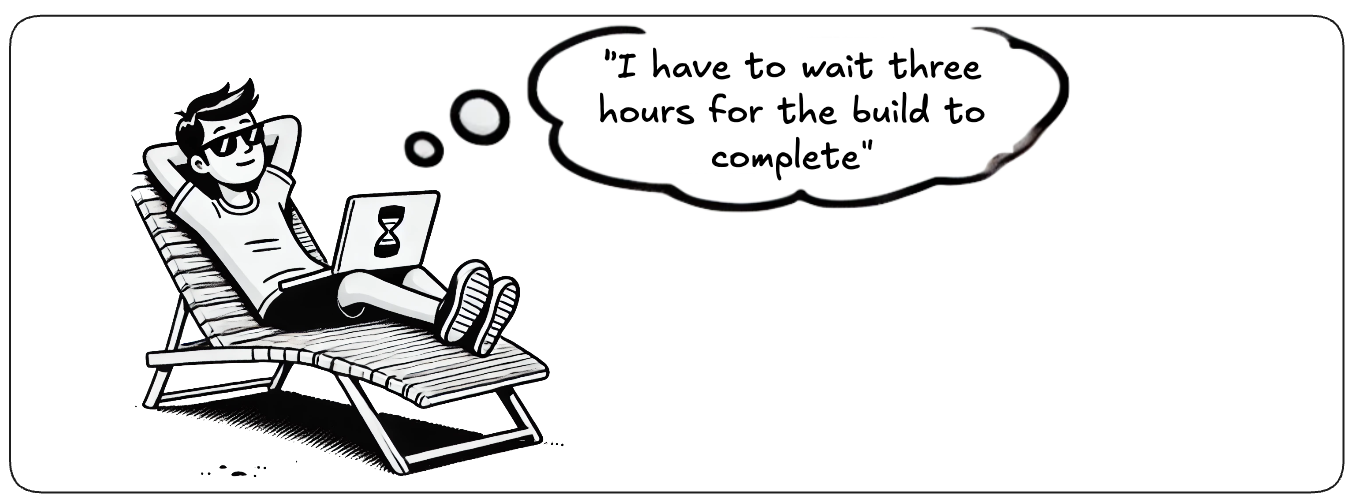
Fast builds preserve the feedback loop that continuous integration depends on. Performance should be measured by how quickly developers receive useful feedback, not simply by how quickly every build task finishes. As the build grows, optimize the work that lies on that critical feedback path.
Optimize the Critical Path [Critical Path]
Build performance is determined by the work that blocks useful feedback. Measure the critical path, identify the slowest stages, and optimize the parts that developers must wait for first. Faster non-blocking work is useful, but reducing the blocking path has the greatest impact on developer flow.
Measure the Capacity of the Feedback Loop [Feedback Capacity]
As the rate of proposed changes increases, build latency can grow even when individual builds have not become slower. Track queue time, time to feedback, throughput, and build success rate to detect when the validation system is becoming saturated. A fast build is not enough if changes spend most of their time waiting to run.
Run Independent Work in Parallel [Parallel Work]
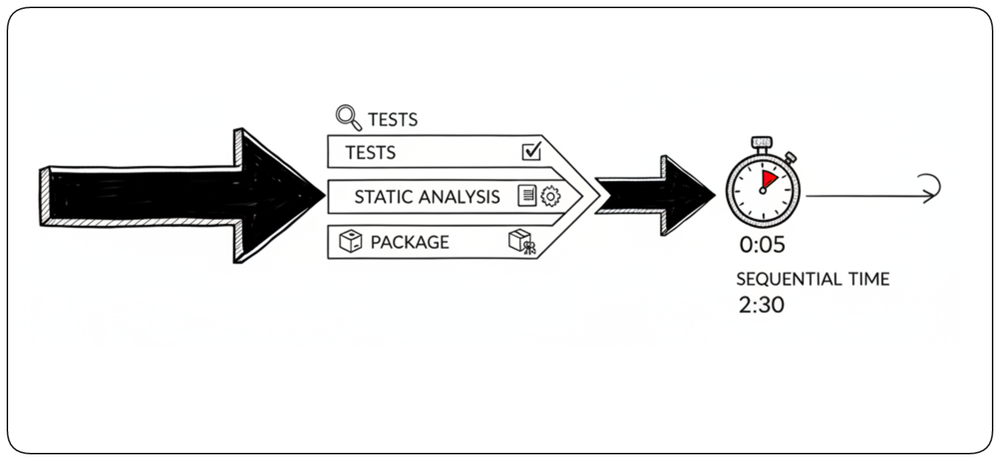
Build stages that do not depend on each other should run concurrently rather than sequentially. Tests, static analysis, packaging steps, and configuration checks can often execute in parallel, reducing elapsed time without removing validation. Parallelism should be applied where it shortens the critical path without creating excessive cost or complexity.
Defer Expensive Checks Without Losing Control [Async Testing]
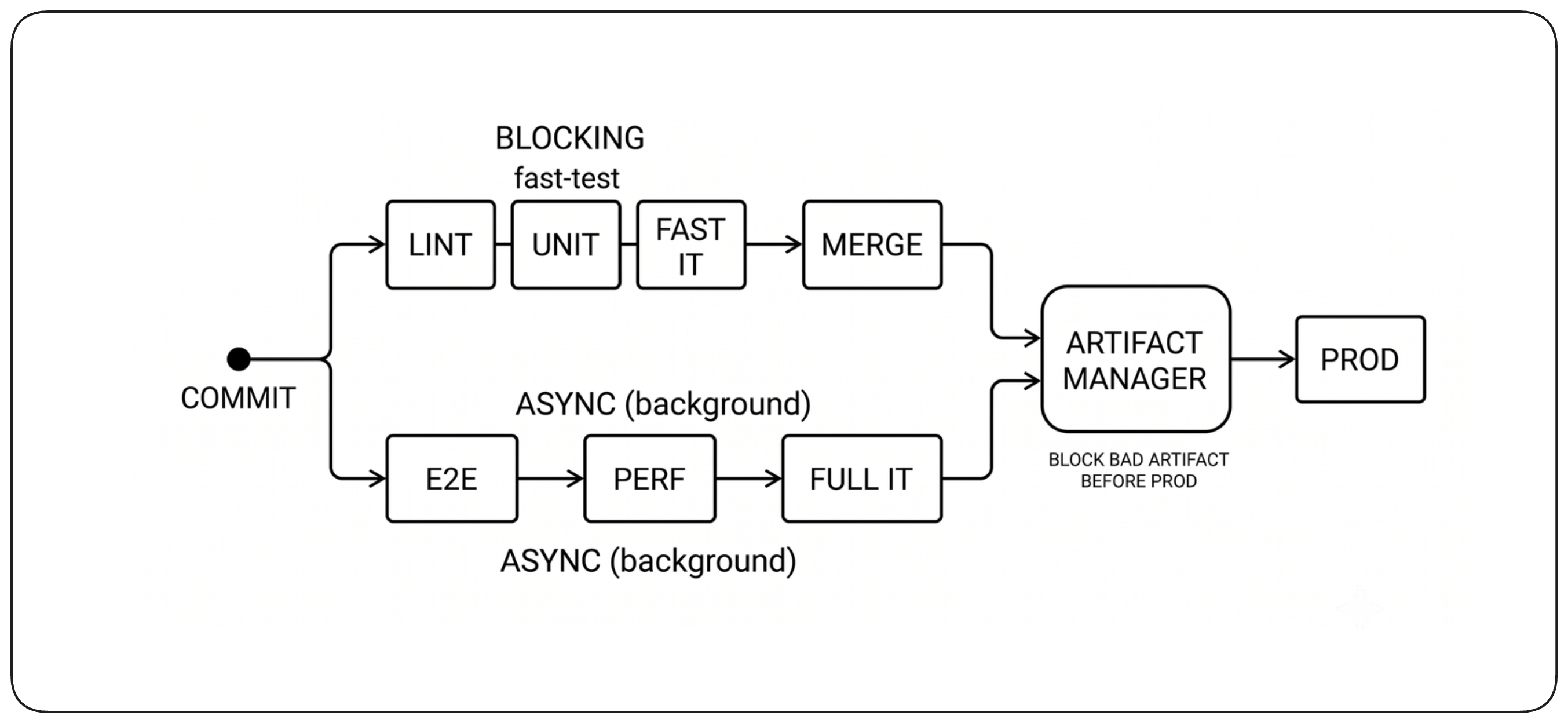
Some valuable checks are too slow to block every change. Long-running end-to-end, performance, or external-system tests can run asynchronously against the exact artifact produced by the build. They should not delay fast developer feedback, but they must still be able to prevent that artifact from reaching production if a serious problem is found.
Reuse Work Safely with Caching [Caching]
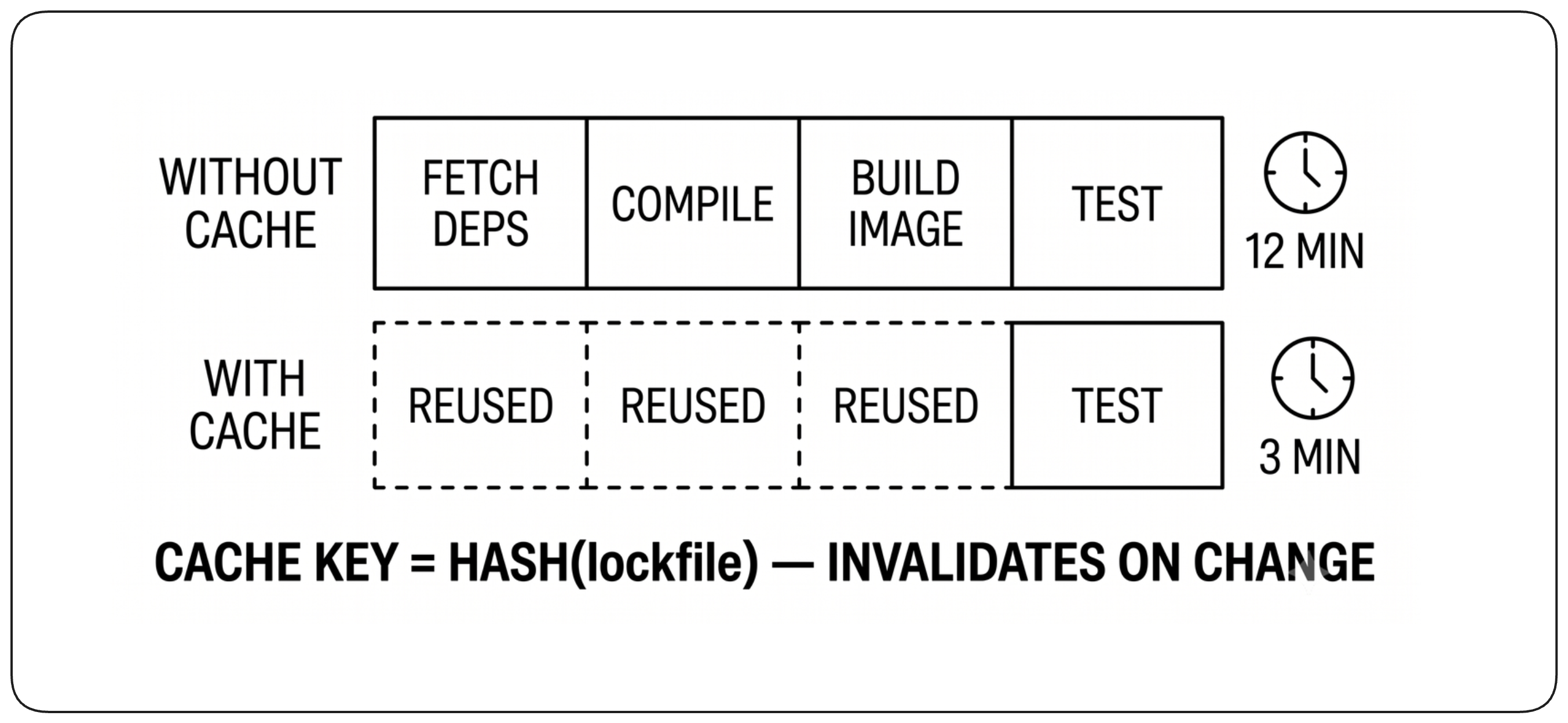
Caching avoids repeating work whose inputs have not changed, such as downloading dependencies, rebuilding unchanged components, or rerunning tests whose relevant inputs are identical. Cache keys should be derived from all inputs that can affect the cached result so stale results are invalidated automatically. A cache is an optimization, never a hidden dependency: clearing it should make the build slower, not change whether it succeeds.
Test Only the Configurations That Matter [Build Matrix]
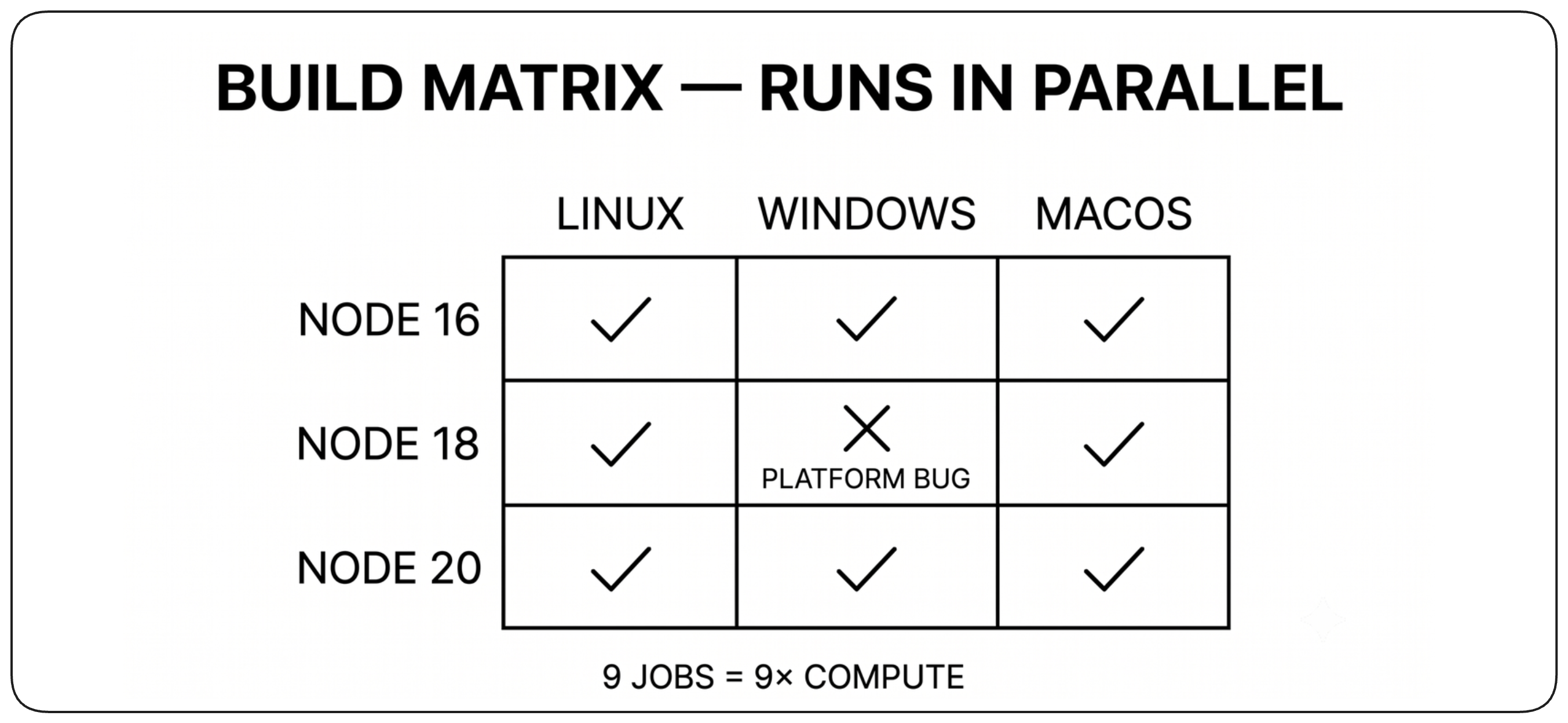
Some software must be validated across multiple operating systems, language versions, architectures, or dependency combinations. A build matrix makes these variations explicit and allows them to run in parallel, but every additional combination increases cost and feedback time. Test the configurations that represent real compatibility requirements rather than every theoretical combination.
Developer Experience [DX]
Developer experience determines whether developers trust and embrace the build or try to work around it. A good build stays out of the way when things work, provides clear guidance when they do not, and makes common development workflows simple and predictable.
Make the Build Disappear into the Workflow [Workflow]
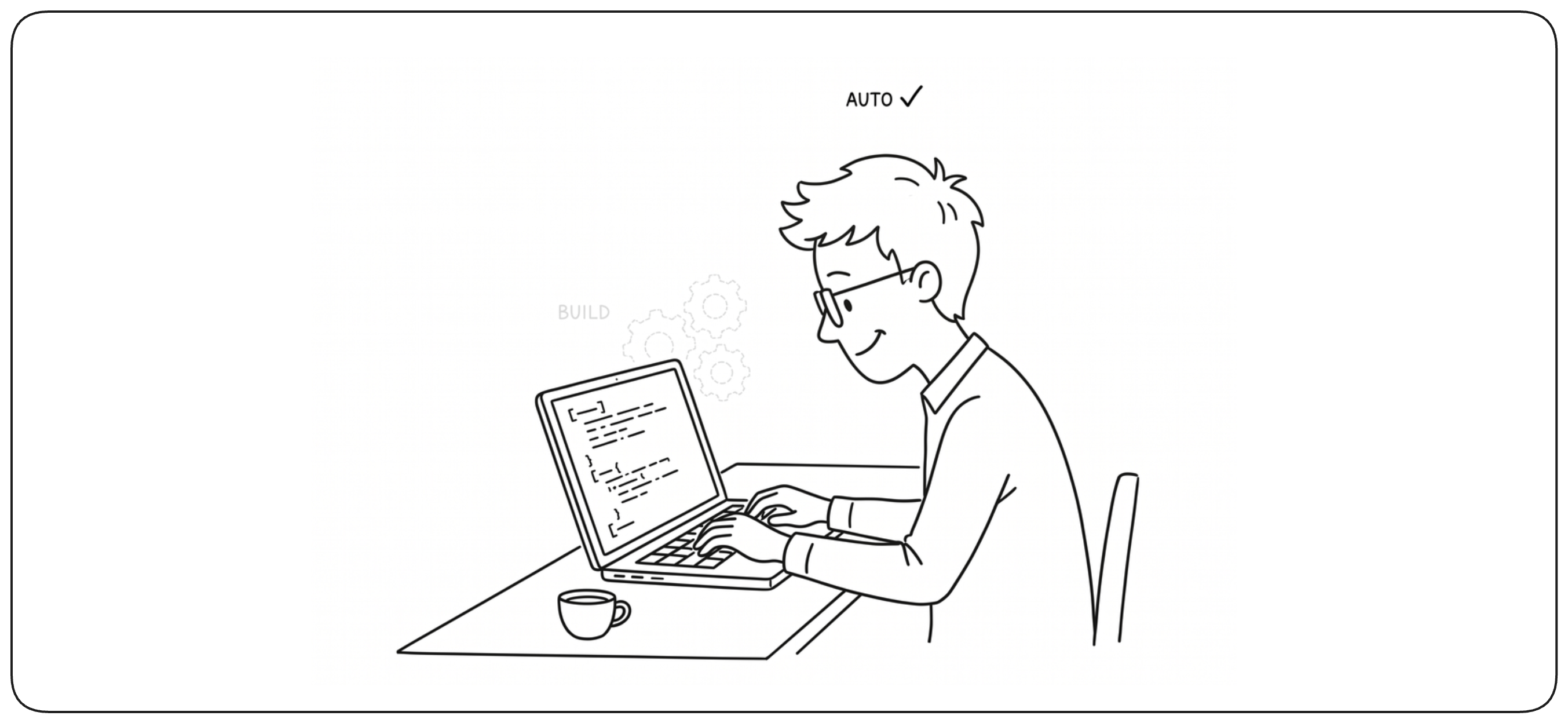
A good build should require as little attention as possible when everything works. Developers should be able to commit, receive feedback, and continue working without thinking about build infrastructure. The build becomes visible only when it has useful information to provide.
Make Failures Actionable [Actionable Failures]
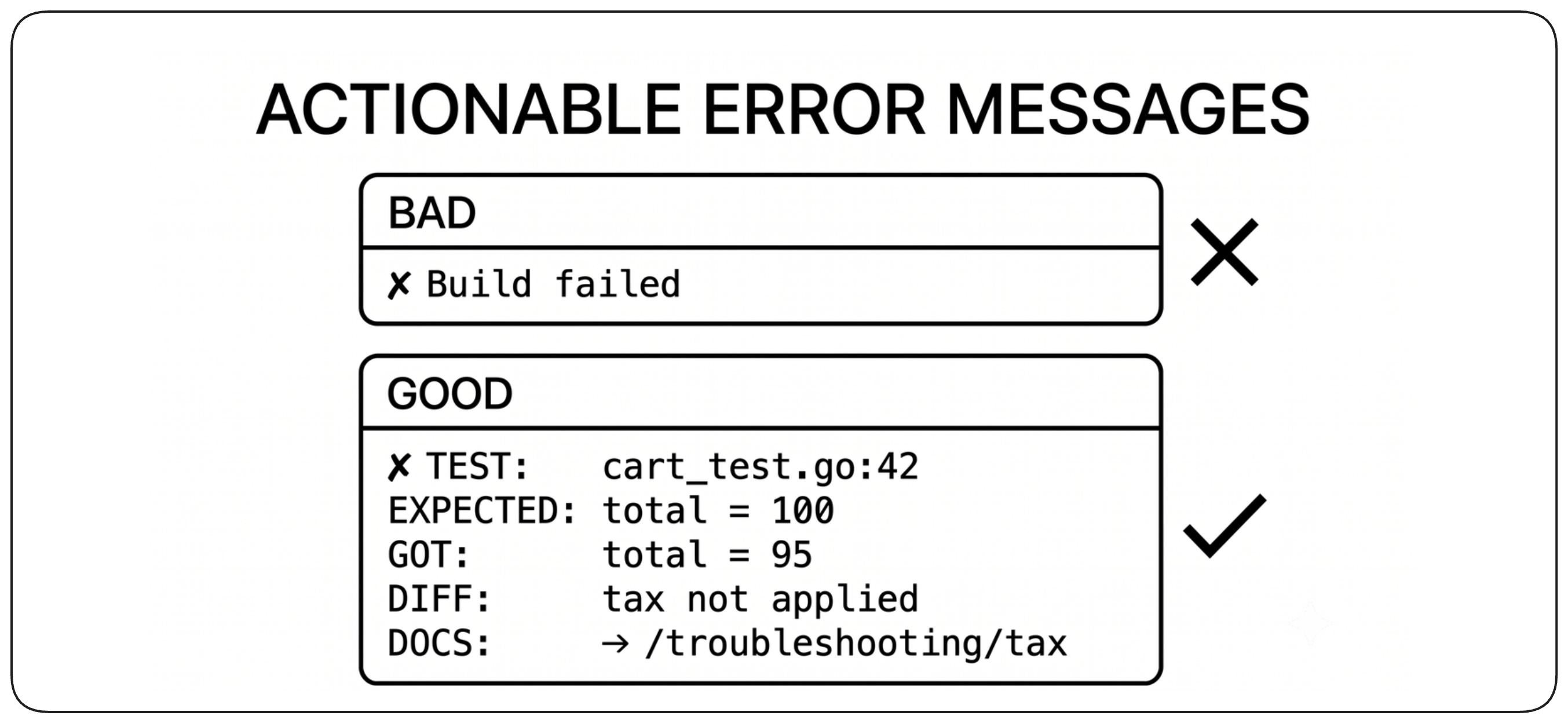
When a build fails, the developer should quickly understand what failed, why it failed, and where to look next. Error messages should identify the failing check, provide relevant context, and link to the information needed to investigate. A failure that requires searching through thousands of log lines is a build-system usability problem.
Let Developers Reproduce Checks Locally [Local Checks]
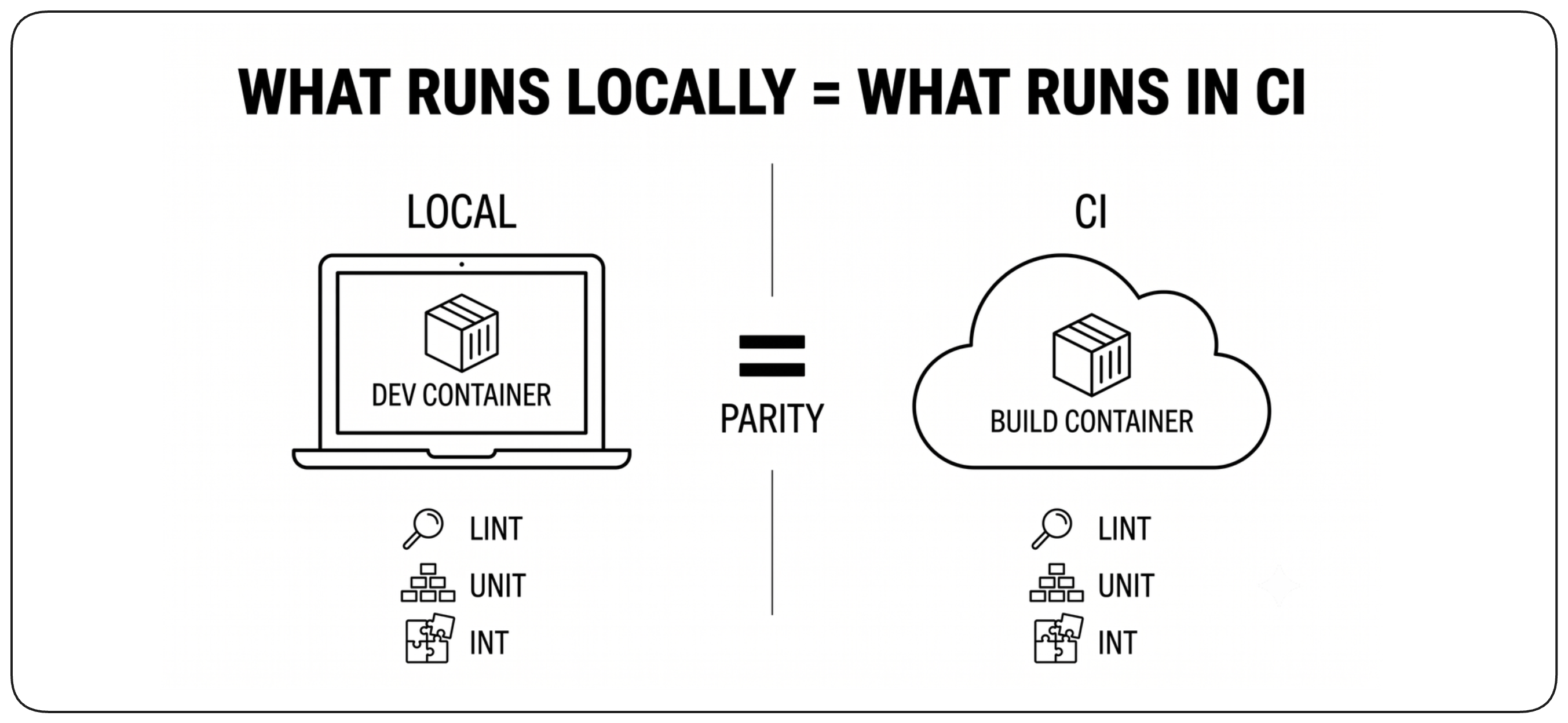
Developers should be able to run the important build checks before pushing a change. Local execution does not need to reproduce the entire build infrastructure, but the same commands, dependencies, and validation rules should behave consistently. This shortens feedback loops and makes build failures easier to reproduce.
Keep the Build Easy to Understand [Understandable Build]
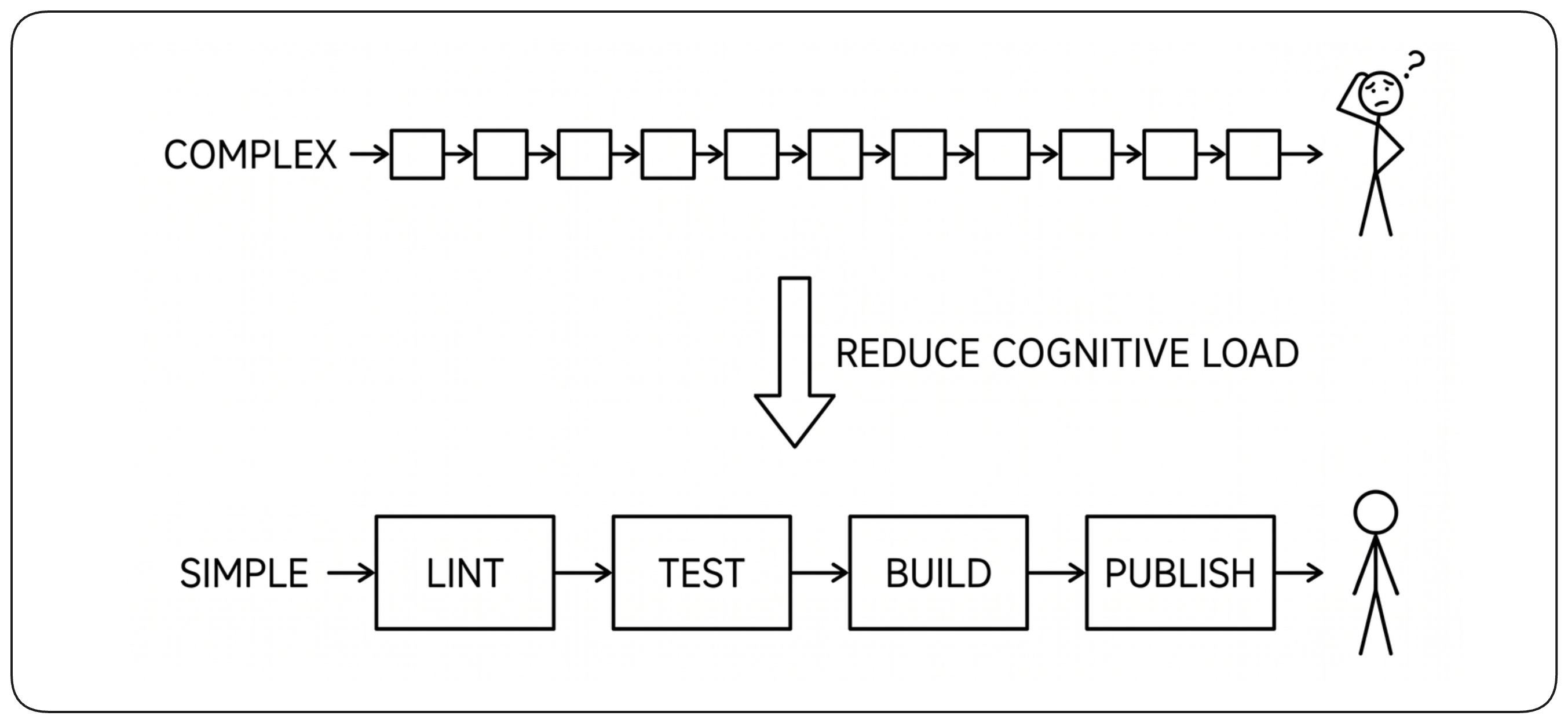
Developers should be able to understand what the build does without becoming experts in the build platform. Prefer a small number of clear stages, sensible defaults, and conventions over large amounts of custom configuration. Complexity that is unavoidable should be hidden behind reusable platform capabilities rather than repeated in every project.
Send Feedback to the Right People [Feedback Routing]
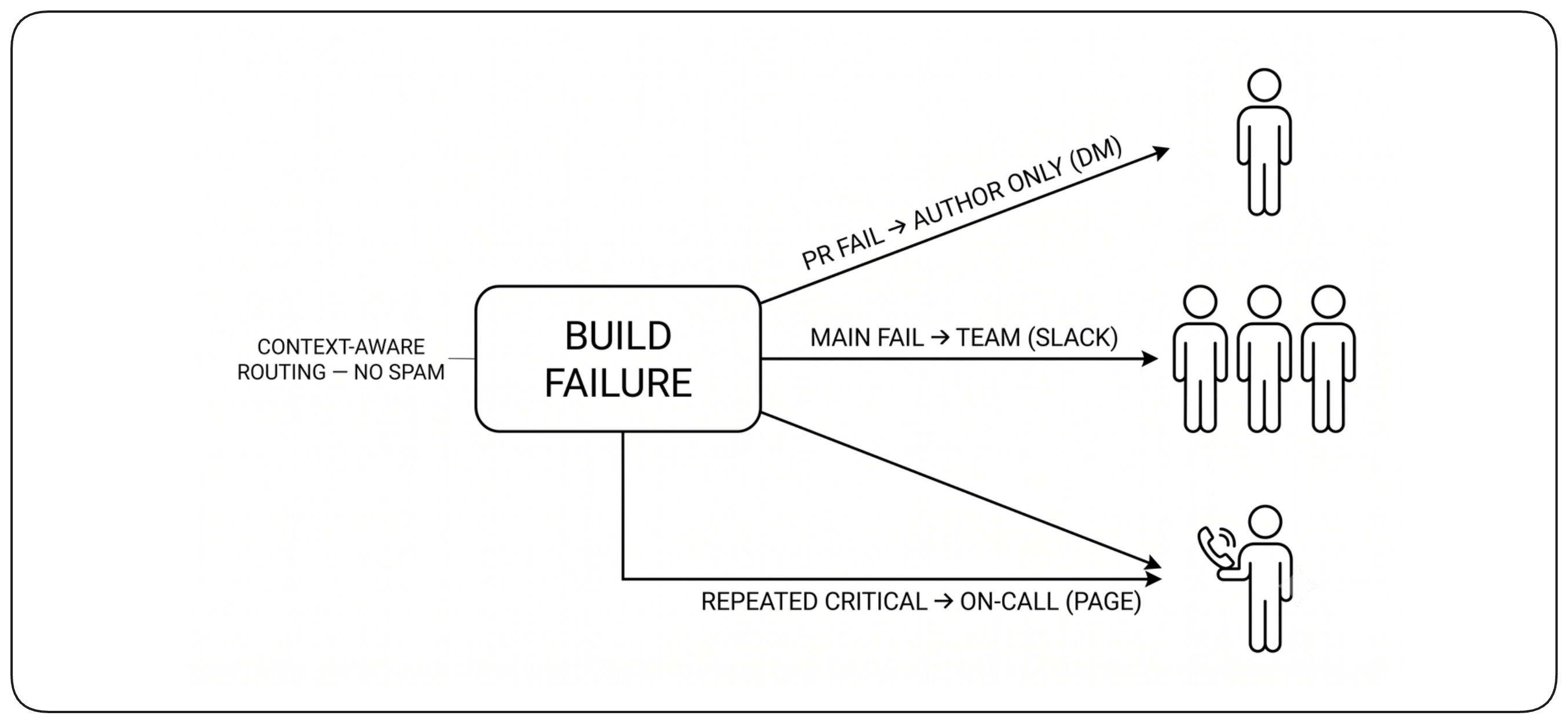
Build notifications should reach the people who can act on them without creating background noise. A pull-request failure usually belongs to its author, while a broken main branch concerns the team. Notifications should include enough context to act immediately and should avoid broadcasting routine failures to people who cannot help.
Metrics and Observability [Metrics & Observability]
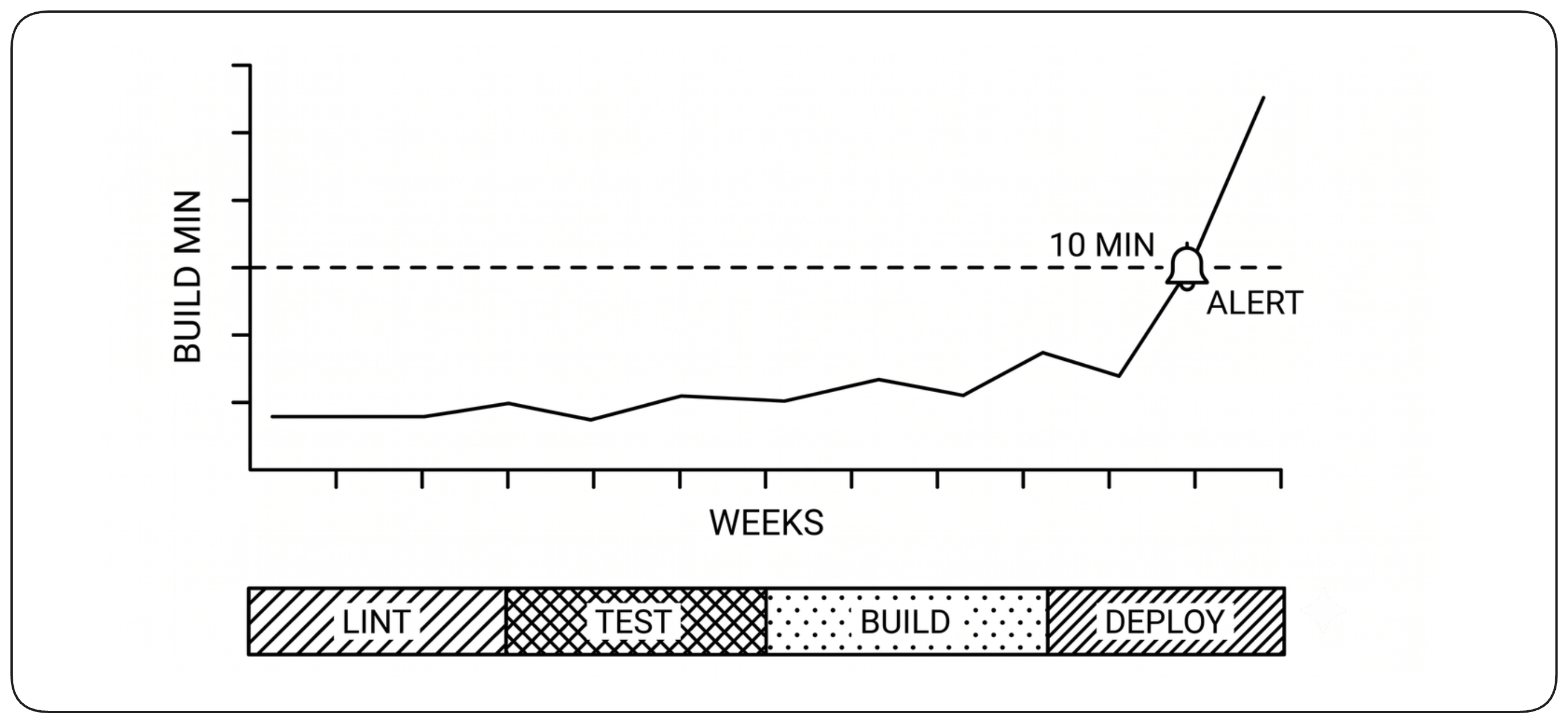
Build observability makes the build itself measurable. It should reveal where developers wait, why builds fail, and whether the build system is becoming slower or less reliable over time.
Measure Time to Feedback [Time to Feedback]
Measure how long developers wait for useful feedback, not only how long the entire pipeline takes. Separate queue time from execution time and break execution down by stage to reveal where delays originate. Percentiles and trends are often more useful than averages because they reveal the slow experiences that developers actually feel.
Separate Build Failures from Infrastructure Failures [Failure Causes]
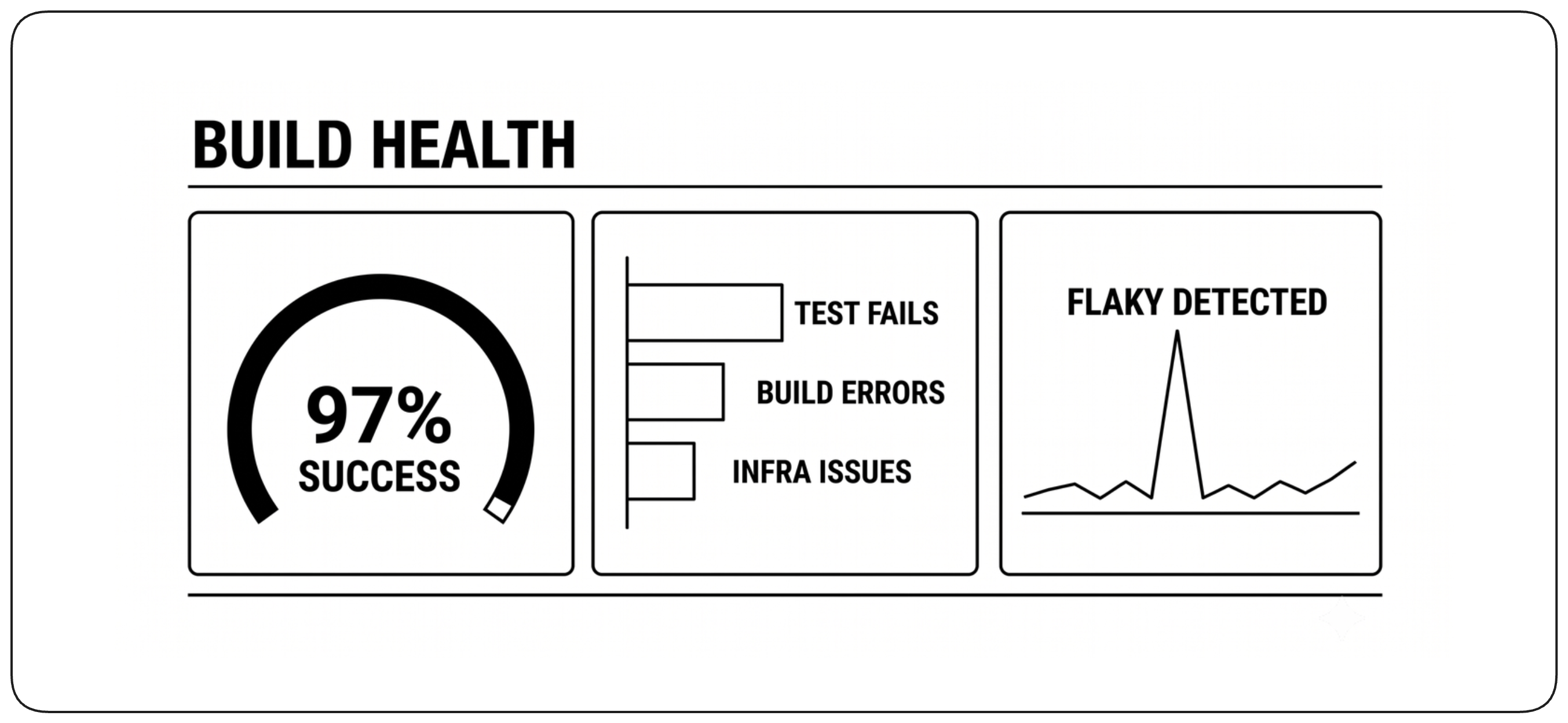
A failed build does not necessarily mean the build system is unhealthy: rejecting a broken change is exactly what it should do. Distinguish failures caused by the change from flaky tests, runner failures, network problems, and other infrastructure issues. This separation shows whether developers can trust the build itself.
Measure Build-System Reliability [Build Reliability]
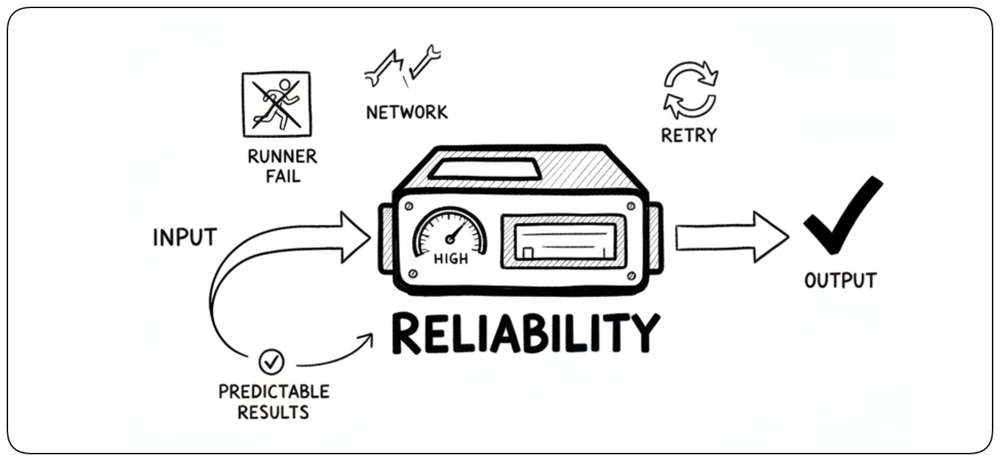
Developers need predictable feedback from the build infrastructure itself. Track runner failures, unexpected retries, network errors, service outages, and other cases where the pipeline fails independently of the code change. A reliable build platform should produce the same outcome for the same inputs without requiring developers to retry failed jobs.
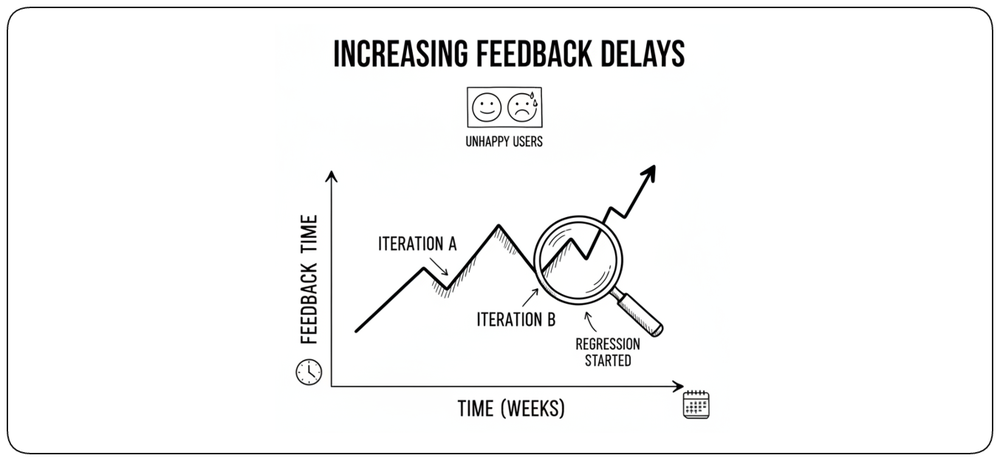
Use Trends to Find Regressions [Trends]
Individual measurements show what is happening now; trends reveal whether the build is getting better or worse. Track feedback time, queue time, infrastructure failures, and reliability over time so gradual regressions become visible early. When a metric changes, observability should help identify where the regression originated.
Human Judgment in the Age of AI [Human & AI]
AI does not remove the principles described in this chapter. It increases their importance. Changes arrive faster, validation becomes the bottleneck, human judgment moves toward intent and risk, and the build platform increasingly serves both developers and autonomous agents.
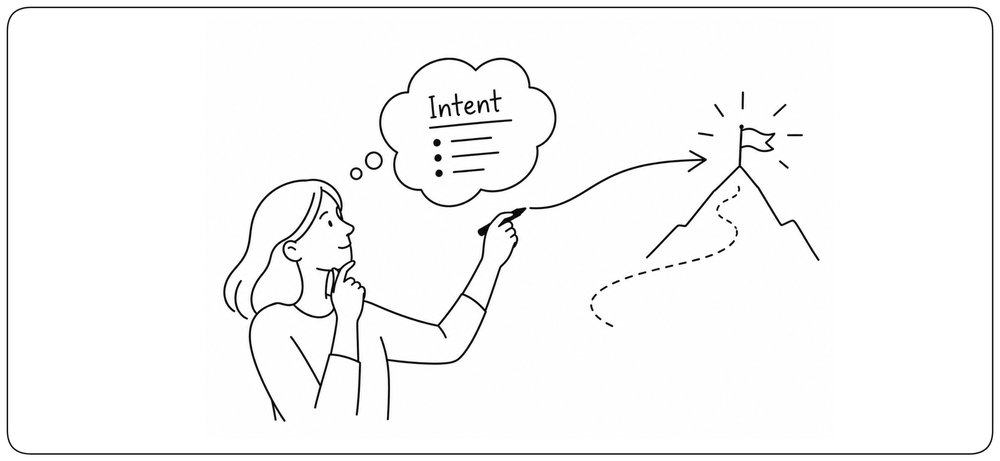
Humans Define the Intent [AI Human Judgment]
AI can generate implementations, tests, fixes, and configuration, but it cannot decide what the system should ultimately achieve. Humans remain responsible for defining intent, constraints, acceptable risk, and the evidence required before a change can progress.
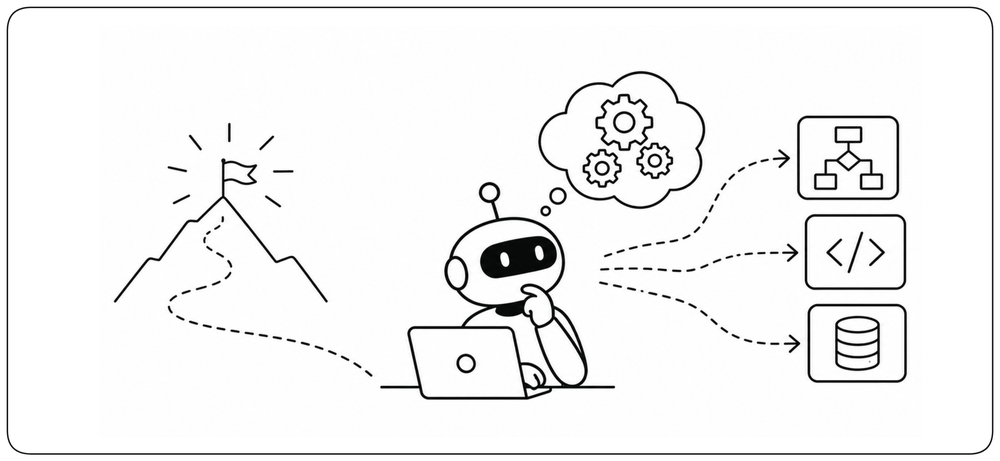
AI Explores the How [AI Generation]
Once the intent and constraints are clear, AI can explore many possible implementations quickly: generating code, tests, refactorings, and fixes, then using build feedback to improve them. The value shifts from producing one answer to searching a much larger solution space.
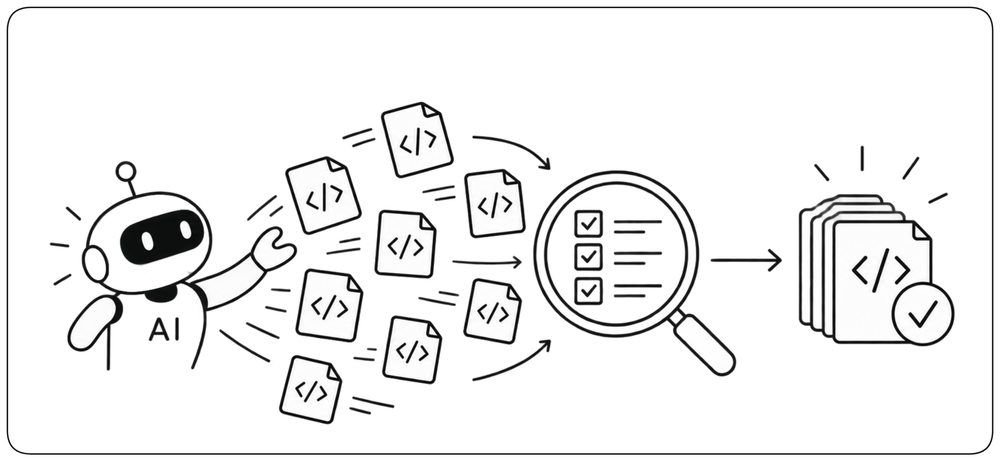
Generate More, Trust Through Evidence [AI Trust]
As generating changes becomes cheaper, generation itself becomes less meaningful as evidence of quality. Trust must come from the build: reproducible execution, review, testing, security checks, and traceable artifacts. AI can increase the volume of change, but every change must still earn the right to progress.
From Change to Trusted Artifact [Conclusion]
A reliable build turns an untrusted change into a trusted artifact. It does this by controlling inputs, validating behavior and security, preserving traceability, and producing one immutable output that can move safely toward production. The tools will evolve, but this responsibility remains the same: every change must earn the evidence required to move forward.